Securely Set Environment Variables for Applications on Cloud Foundry with CredHub Service Broker
⚠️ This article was automatically translated by OpenAI (gpt-4o). It may be edited eventually, but please be aware that it may contain incorrect information at this time.
Regarding the CredHub Service Broker that became GA in PCF 2.2. (Related Article)
In the Case of User Provided Service
In short, the CredHub Service Broker is a secure User Provided Service.
To explain the difference, let's first try using a User Provided Service.
Create a foo directory,
mdkir foo
cd foo
and create a PHP application that only displays phpinfo().
cat <<EOF > index.php
<?php
phpinfo();
EOF
Deploy it with cf push.
cf push hello-php -b php_buildpack -m 32m
To pass some API key to this application, let's use a User Provided Service.
Create a service instance with cf create-user-provided-service (or cf cups) as follows.
cf create-user-provided-service demo-ups -p '{"api-key":"THIS_IS_A_SECRET_KEY"}'
Bind this to the application with cf bind-service and restart it,
cf bind-service hello-php demo-ups
cf restart hello-php
The JSON string of the environment variable VCAP_SERVICES will include {"api-key":"THIS_IS_A_SECRET_KEY"}.

For example, in PHP, you can access the API key as follows.
$vcap_services = json_decode(getenv('VCAP_SERVICES'));
$credentials = $vcap_services->{'user-provided'}[0]->credentials;
$api_key = $credentials->{'api-key'};
In the case of Spring Boot, you can set it in application.properties as follows.
api-key=${vcap.services.demo-ups.credentials.api-key}
While User Provided Service is convenient for setting environment variables for applications, there is one issue:
When checking environment variables with cf env, the settings are displayed on the terminal as follows.
cf env hello-php
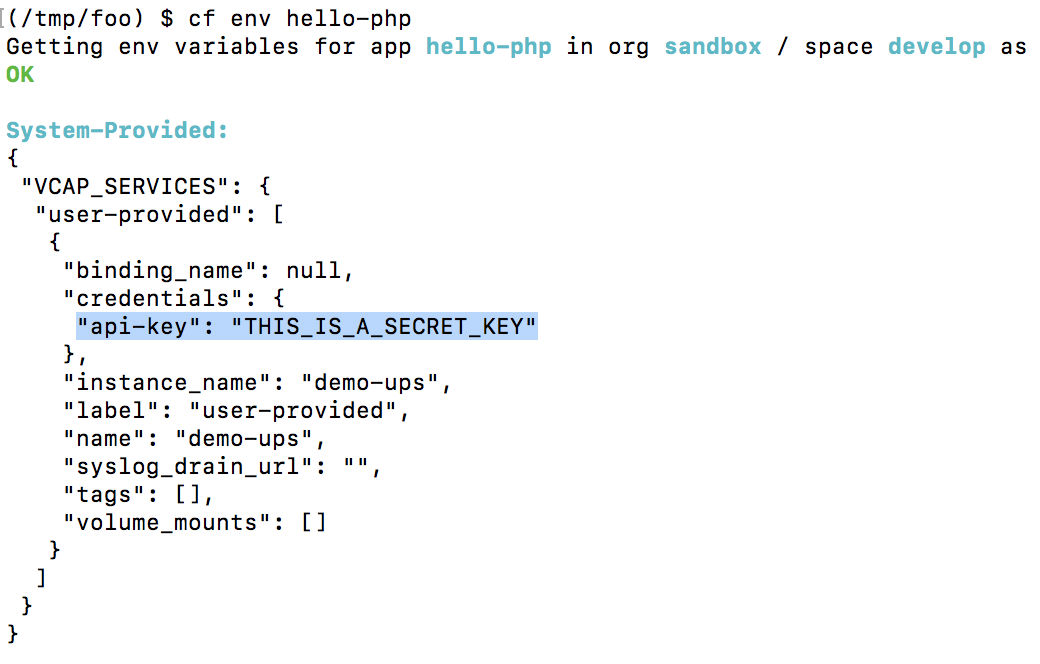
Many people dislike this. The same happens when setting environment variables with cf set-env.
In the Case of CredHub Service Broker
The CredHub Service Broker saves the credentials in CredHub. The data saved in CredHub is encrypted and can also be integrated with HSM (Hardware Security Module).
If the CredHub Service Broker is enabled, you can check it from cf marketplace.
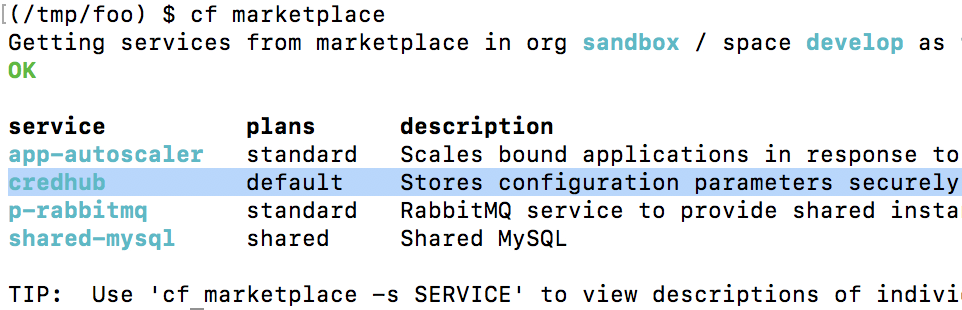
First, unbind and delete the demo-ups service instance created earlier.
cf unbind-service hello-php demo-ups
cf delete-service demo-ups
Next, create a service instance of the CredHub Service Broker. The creation method is as follows and is similar to the User Provided Service.
cf create-service credhub default demo-credhub -c '{"api-key":"THIS_IS_A_SECRET_KEY"}'
Bind this to the application with cf bind-service and restart it,
cf bind-service hello-php demo-credhub
cf restart hello-php
When checking environment variables with cf env, instead of displaying the credentials directly, only the reference key to CredHub is displayed as follows.
cf env hello-php
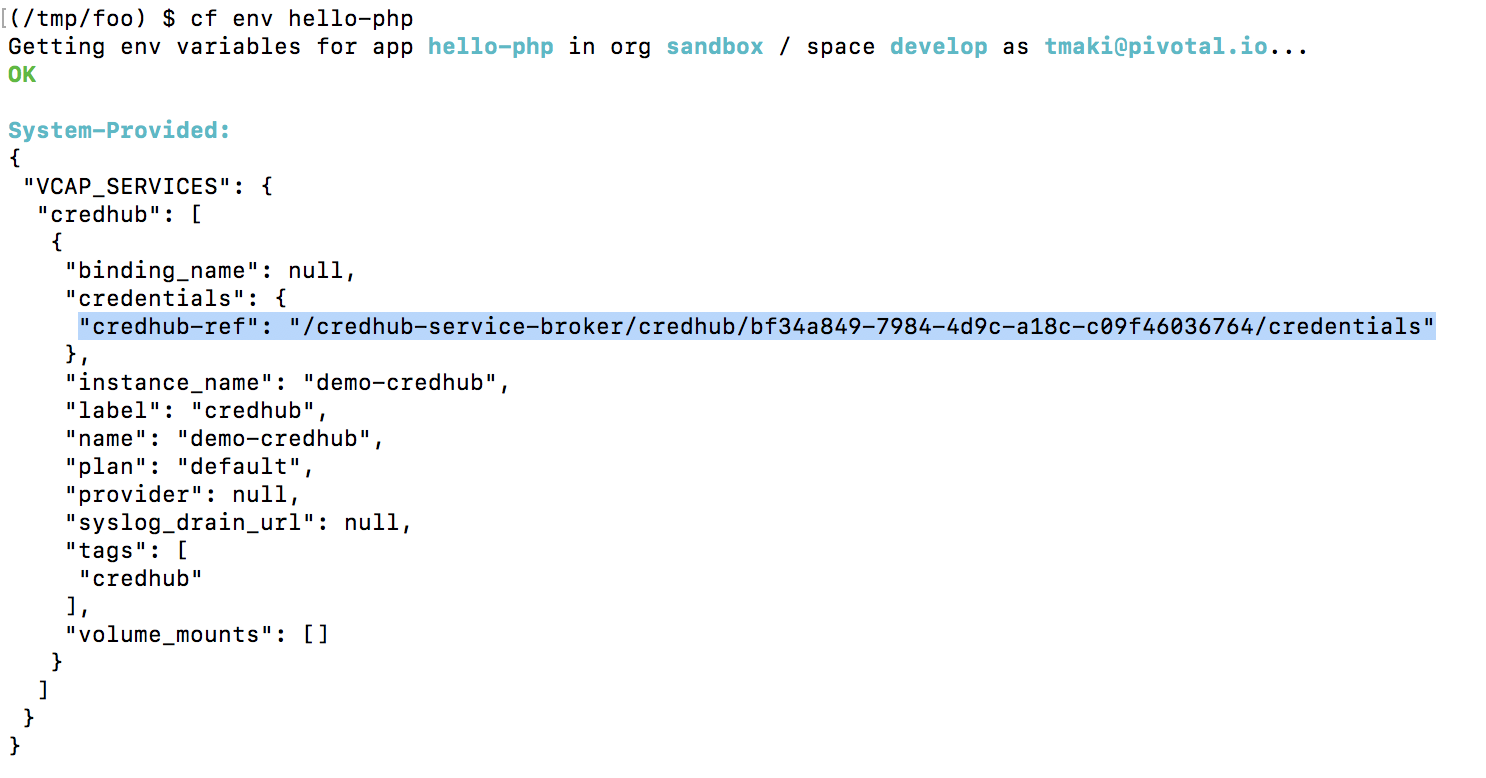
However, this does not mean that the application has to access CredHub separately; the credentials are visible within VCAP_SERVICES just like with the User Provided Service.

The application only needs to look at the environment variables. In the case of PHP, you can access it as follows.
cat <<'EOF' > apikey.php
<?php
$vcap_services = json_decode(getenv('VCAP_SERVICES'));
$credentials = $vcap_services->credhub[0]->credentials;
echo "API_KEY = " . $credentials->{'api-key'};
EOF
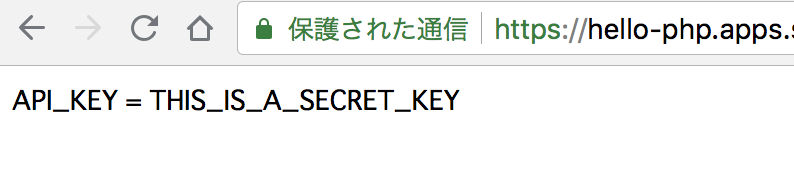
In the case of Spring Boot, you can set it in application.properties as follows.
api-key=${vcap.services.demo-credhub.credentials.api-key}
The point that you can access the credentials from the environment variable VCAP_SERVICES is the same as with the User Provided Service, but it is more secure because:
- The credentials are not displayed with
cf env - The credentials are stored in CredHub
For more details on the internal mechanism, refer to this article.
For the installation method of the CredHub Service Broker, refer to here. The OSS version is here.