---
title: Prometheusをubuntu上にインストールしremote writeを受け付けるメモ
tags: ["Prometheus", "Ubuntu", "Vultr"]
categories: ["Observability", "Prometheus"]
date: 2024-01-24T12:34:59Z
updated: 2024-07-25T04:00:49Z
---
PrometheusのManaged Serviceはコスパが悪いので、Self Hostすることにする。監視対象のKubernetes上にPrometheusを置きたくないので、PrometheusはUbuntu VMで運用する。
Kubernetesのクラスタからはremote writeでこのSelf HostのPrometheusにメトリクスを送信する。
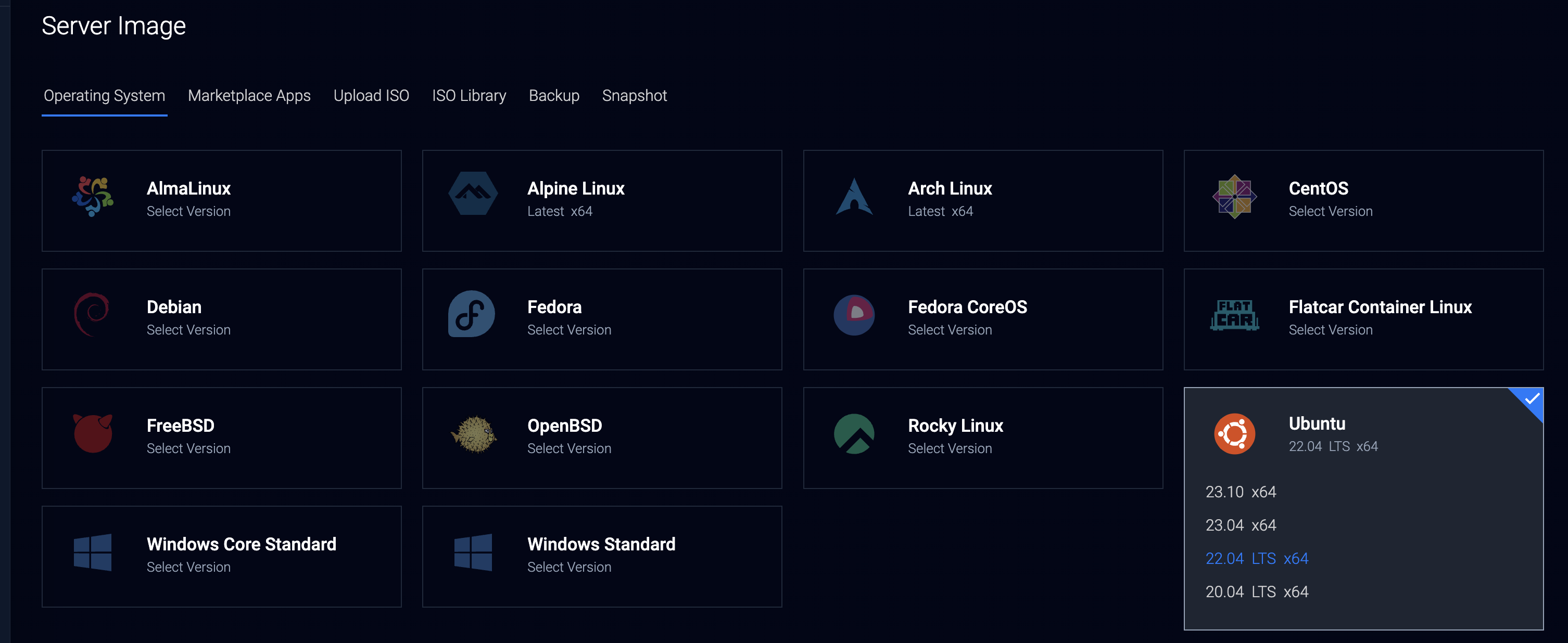
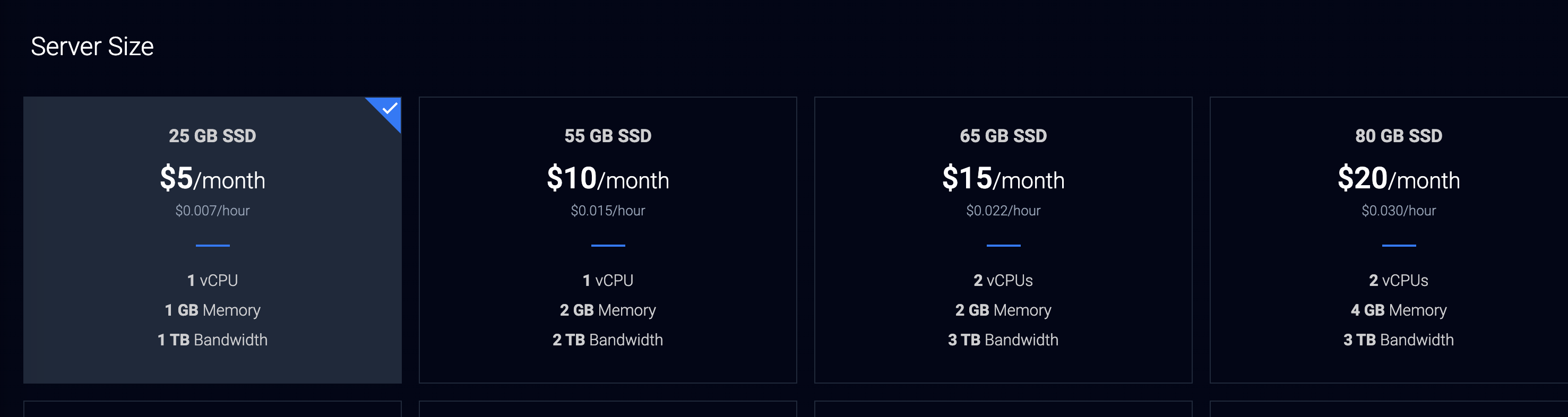
Prometheusをubuntu上にインストールする。[Vultr](https://vultr.com)上でVMを作成する。1 vCPU、1GB RAMのインスタンスなら$5から始められる。






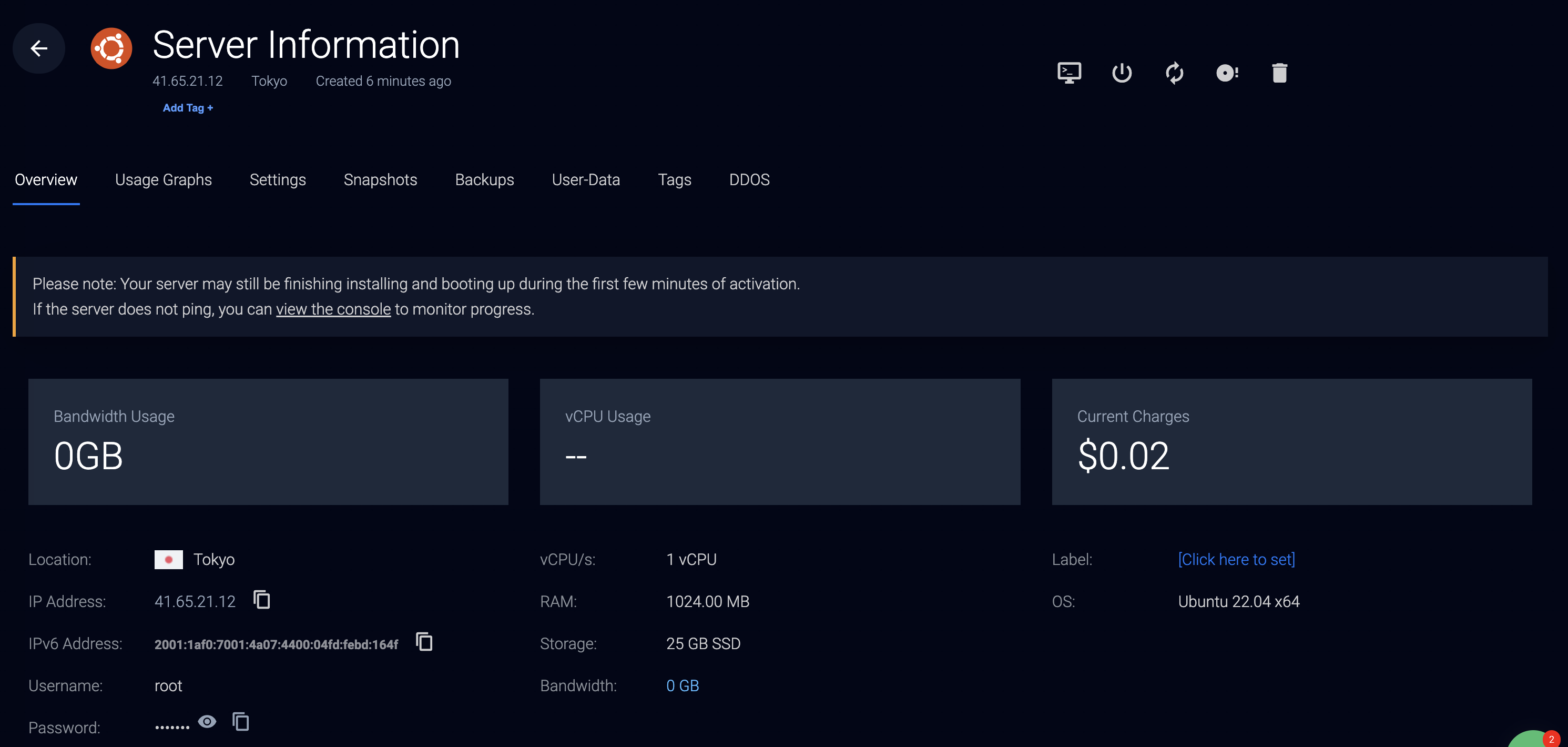 sshでアクセス
```
ssh root@41.65.21.12
```
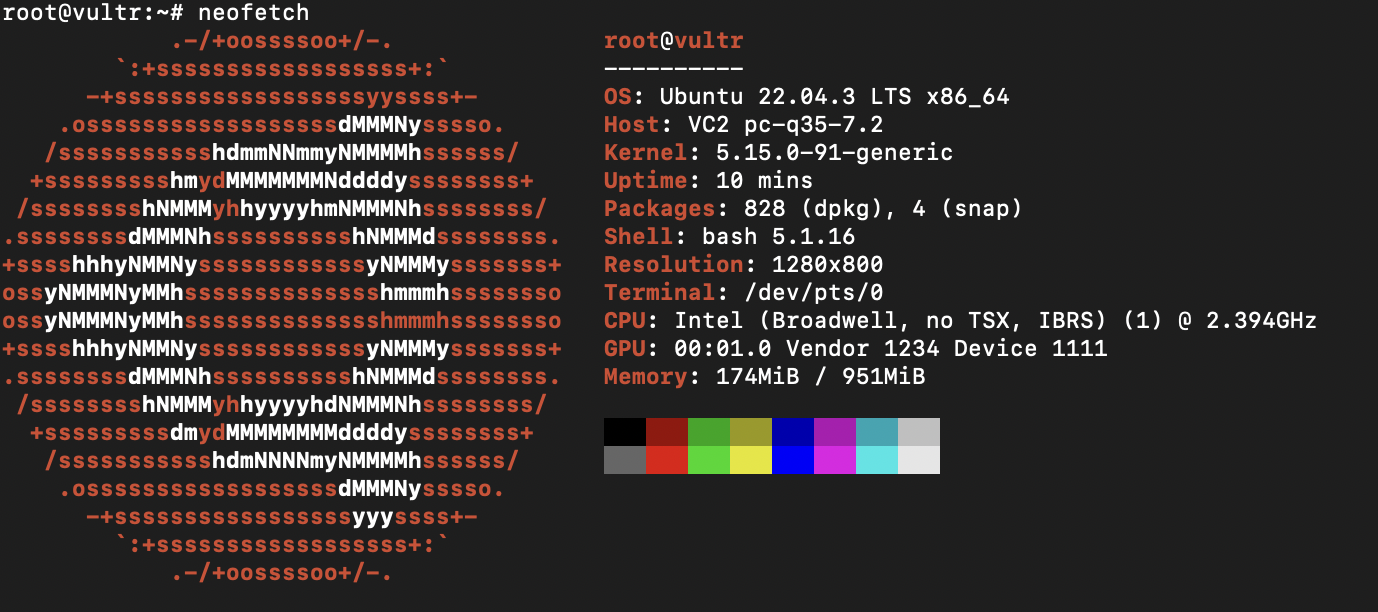
neofecthしてみる。
```
sudo apt-get update
sudo apt-get install neofetch -y
```
sshでアクセス
```
ssh root@41.65.21.12
```
neofecthしてみる。
```
sudo apt-get update
sudo apt-get install neofetch -y
```
 prometheusユーザー作成
```
sudo groupadd --system prometheus
sudo useradd -s /sbin/nologin --system -g prometheus prometheus
```
apt-getでもPrometheusはインストールできるが、最新版を使いたかったのでバイナリをダウンロードする。
Prometheusのダウンロードと配置
```
cd /tmp
wget https://github.com/prometheus/prometheus/releases/download/v2.49.1/prometheus-2.49.1.linux-amd64.tar.gz
tar xzvf prometheus*.tar.gz
cd prometheus*/
sudo mkdir /etc/prometheus
sudo mkdir /var/lib/prometheus
sudo mv prometheus /usr/local/bin
sudo mv promtool /usr/local/bin
sudo chown prometheus:prometheus /usr/local/bin/prometheus
sudo chown prometheus:prometheus /usr/local/bin/promtool
```
```
sudo mv consoles /etc/prometheus
sudo mv console_libraries /etc/prometheus
sudo mv prometheus.yml /etc/prometheus
sudo chown prometheus:prometheus /etc/prometheus
sudo chown -R prometheus:prometheus /etc/prometheus/consoles
sudo chown -R prometheus:prometheus /etc/prometheus/console_libraries
sudo chown -R prometheus:prometheus /var/lib/prometheus
```
Basic認証を設定する
```
htpasswd -nB admin
```
```
cat <<'EOF' > /etc/prometheus/web.yml
tls_server_config:
cert_file: tls.crt
key_file: tls.key
basic_auth_users:
admin: $2y$05$****************************
EOF
```
自己署名TLS証明書を作成する
```
cd /tmp
cat <<'EOC' > gen_tls_certs.sh
#!/bin/bash
set -e
ROOT_DOMAIN=$1
SSL_FILE=sslconf-${ROOT_DOMAIN}.conf
#Generate SSL Config with SANs
if [ ! -f $SSL_FILE ]; then
cat > $SSL_FILE < /etc/systemd/system/prometheus.service
[Unit]
Description=Prometheus
Wants=network-online.target
After=network-online.target
[Service]
User=prometheus
Group=prometheus
Type=simple
ExecStart=/usr/local/bin/prometheus \
--config.file /etc/prometheus/prometheus.yml \
--web.config.file=/etc/prometheus/web.yml \
--storage.tsdb.path=/var/lib/prometheus/ \
--storage.tsdb.retention.time=42d \
--storage.tsdb.retention.size=15GB \
--web.console.templates=/etc/prometheus/consoles \
--web.console.libraries=/etc/prometheus/console_libraries \
--web.enable-lifecycle \
--enable-feature=exemplar-storage \
--enable-feature=otlp-write-receiver \
--web.enable-remote-write-receiver
[Install]
WantedBy=multi-user.target
EOF
```
```
sudo systemctl daemon-reload
sudo systemctl enable prometheus
sudo systemctl start prometheus
```
```
sudo systemctl status prometheus
```
```
sudo ufw allow 9090/tcp
```
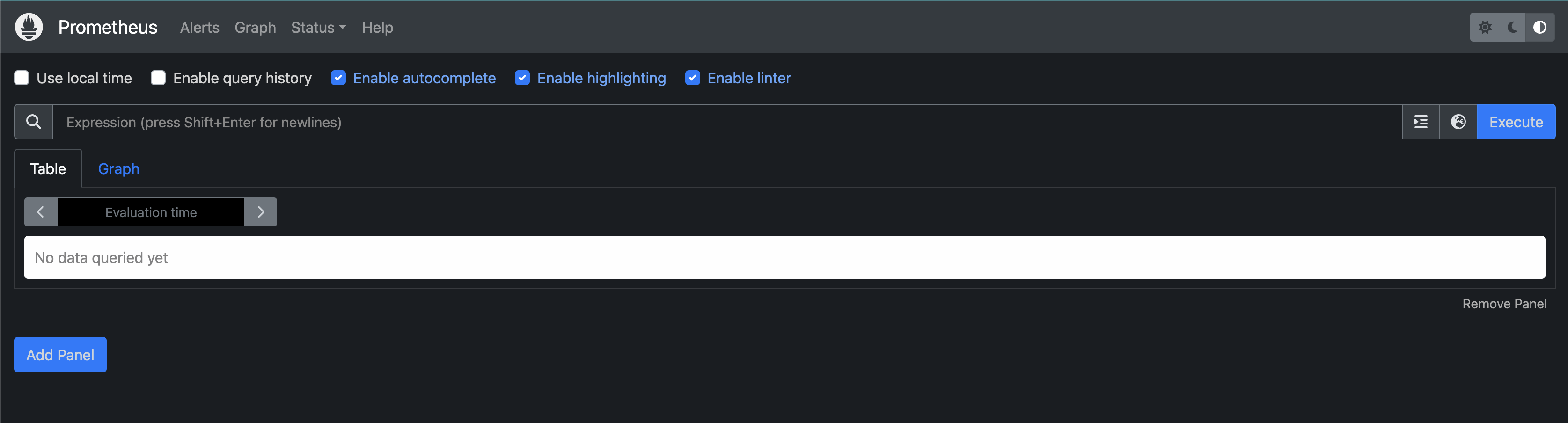
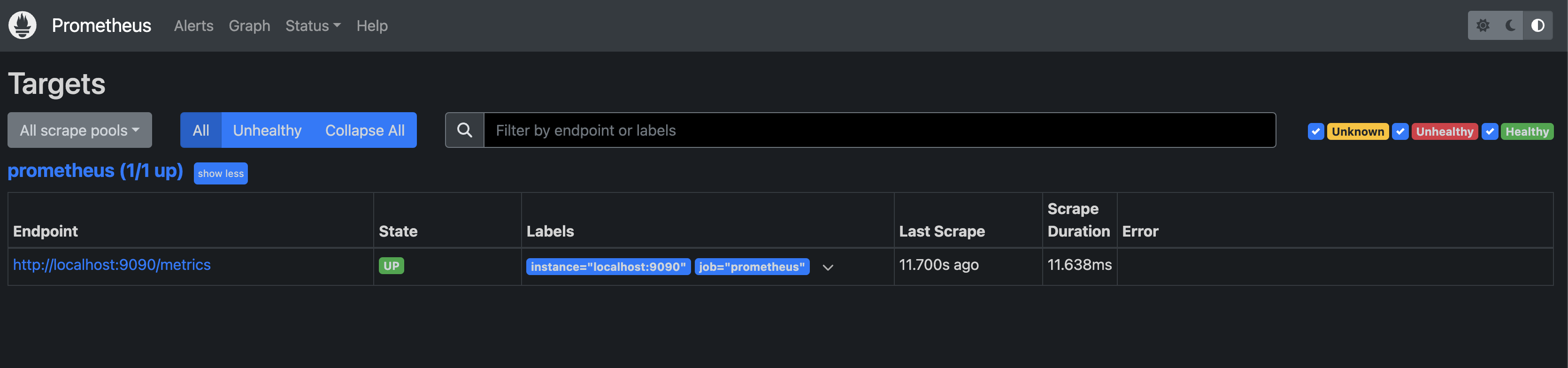
`https://41-65-21-12.sslip.io:9090`にアクセス
prometheusユーザー作成
```
sudo groupadd --system prometheus
sudo useradd -s /sbin/nologin --system -g prometheus prometheus
```
apt-getでもPrometheusはインストールできるが、最新版を使いたかったのでバイナリをダウンロードする。
Prometheusのダウンロードと配置
```
cd /tmp
wget https://github.com/prometheus/prometheus/releases/download/v2.49.1/prometheus-2.49.1.linux-amd64.tar.gz
tar xzvf prometheus*.tar.gz
cd prometheus*/
sudo mkdir /etc/prometheus
sudo mkdir /var/lib/prometheus
sudo mv prometheus /usr/local/bin
sudo mv promtool /usr/local/bin
sudo chown prometheus:prometheus /usr/local/bin/prometheus
sudo chown prometheus:prometheus /usr/local/bin/promtool
```
```
sudo mv consoles /etc/prometheus
sudo mv console_libraries /etc/prometheus
sudo mv prometheus.yml /etc/prometheus
sudo chown prometheus:prometheus /etc/prometheus
sudo chown -R prometheus:prometheus /etc/prometheus/consoles
sudo chown -R prometheus:prometheus /etc/prometheus/console_libraries
sudo chown -R prometheus:prometheus /var/lib/prometheus
```
Basic認証を設定する
```
htpasswd -nB admin
```
```
cat <<'EOF' > /etc/prometheus/web.yml
tls_server_config:
cert_file: tls.crt
key_file: tls.key
basic_auth_users:
admin: $2y$05$****************************
EOF
```
自己署名TLS証明書を作成する
```
cd /tmp
cat <<'EOC' > gen_tls_certs.sh
#!/bin/bash
set -e
ROOT_DOMAIN=$1
SSL_FILE=sslconf-${ROOT_DOMAIN}.conf
#Generate SSL Config with SANs
if [ ! -f $SSL_FILE ]; then
cat > $SSL_FILE < /etc/systemd/system/prometheus.service
[Unit]
Description=Prometheus
Wants=network-online.target
After=network-online.target
[Service]
User=prometheus
Group=prometheus
Type=simple
ExecStart=/usr/local/bin/prometheus \
--config.file /etc/prometheus/prometheus.yml \
--web.config.file=/etc/prometheus/web.yml \
--storage.tsdb.path=/var/lib/prometheus/ \
--storage.tsdb.retention.time=42d \
--storage.tsdb.retention.size=15GB \
--web.console.templates=/etc/prometheus/consoles \
--web.console.libraries=/etc/prometheus/console_libraries \
--web.enable-lifecycle \
--enable-feature=exemplar-storage \
--enable-feature=otlp-write-receiver \
--web.enable-remote-write-receiver
[Install]
WantedBy=multi-user.target
EOF
```
```
sudo systemctl daemon-reload
sudo systemctl enable prometheus
sudo systemctl start prometheus
```
```
sudo systemctl status prometheus
```
```
sudo ufw allow 9090/tcp
```
`https://41-65-21-12.sslip.io:9090`にアクセス
 Node Exporterをインストール。こっちは最新版じゃなくてもいいのでapt-getでインストール。
```
sudo apt-get install prometheus-node-exporter -y
```
scrape_configsを追加
```yaml
- job_name: node-exporter
static_configs:
- targets:
- localhost:9100
```
prometheusをリスタート
```
sudo systemctl restart prometheus
```
Node Exporterをインストール。こっちは最新版じゃなくてもいいのでapt-getでインストール。
```
sudo apt-get install prometheus-node-exporter -y
```
scrape_configsを追加
```yaml
- job_name: node-exporter
static_configs:
- targets:
- localhost:9100
```
prometheusをリスタート
```
sudo systemctl restart prometheus
```
 このPrometheusにRemote Writeしたい時は
```yaml
remote_write:
- url: https://41-65-21-12.sslip.io:9090/api/v1/write
remote_timeout: 30s
send_exemplars: true
basic_auth:
username: admin
password: "**************"
tls_config:
insecure_skip_verify: true
```
このPrometheusにRemote Writeしたい時は
```yaml
remote_write:
- url: https://41-65-21-12.sslip.io:9090/api/v1/write
remote_timeout: 30s
send_exemplars: true
basic_auth:
username: admin
password: "**************"
tls_config:
insecure_skip_verify: true
```