ASUS Ascent GX10 (DGX Spark) 上でds4 (DwarfStar 4) を試すメモ
ds4 (DwarfStar 4)を1台のDGX Sparkで試します。
https://github.com/antirez/ds4/blob/main/docs/DGX_SPARK.md
ds4のインストール
/opt/ds4にソースコード等を置きます。
sudo mkdir -p /opt/ds4
sudo chown -R $USER:$USER /opt/ds4
git cloneします。
git clone https://github.com/antirez/ds4.git .
次のリビジョンで検証しています。
$ git rev-parse --short HEAD
a04f46f
モデルをダウンロードします。
./download_model.sh ds4f-q2
DGX Spark用にコンパイルします。
make cuda-spark
動作確認
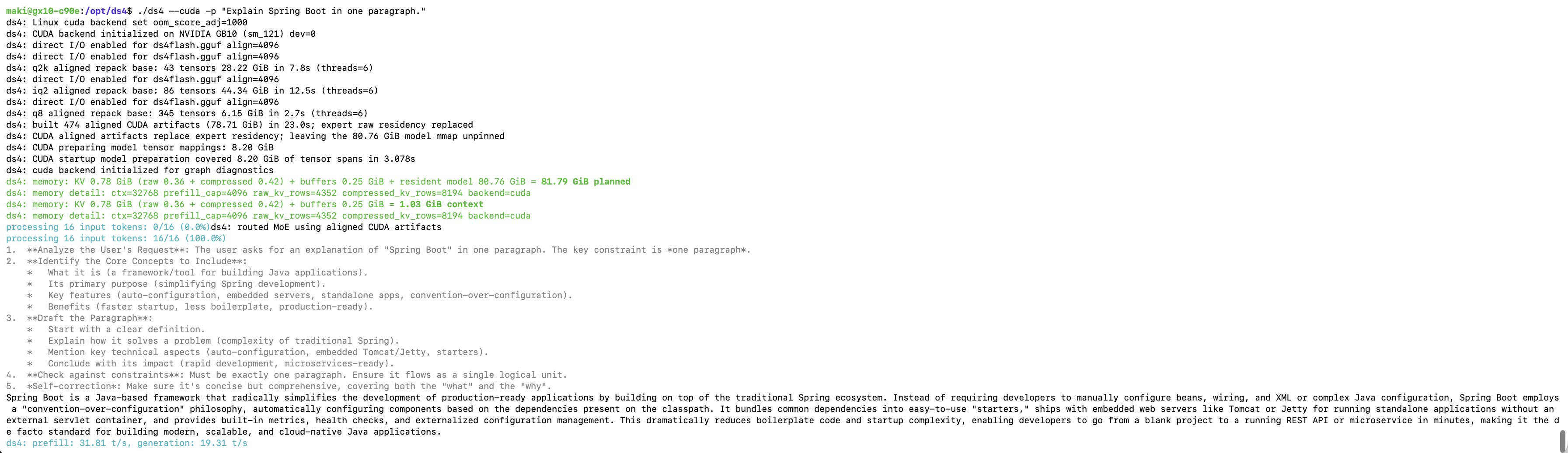
まずはワンショットプロンプトを試します。
./ds4 --cuda -p "Explain Spring Boot in one paragraph."
出力はこんな感じです。
OpenAI/Anthropic互換サーバーの起動
次にサーバーとして起動します。このサーバーはOpenAI/AnthropicのAPIを実装しており、コーディングエージェントからもアクセスできます。
./ds4-server --cuda --ctx 262144 --kv-disk-dir /tmp/ds4-kv --kv-disk-space-mb 8192 --host 0.0.0.0 --port 8888
まずは/v1/modelsにアクセスしてみます。
$ curl localhost:8888/v1/models -s | jq .
{
  "object": "list",
  "data": [
    {
      "id": "deepseek-v4-flash",
      "object": "model",
      "created": 1767225600,
      "owned_by": "ds4.c",
      "name": "DeepSeek V4 Flash",
      "context_length": 262144,
      "top_provider": {
        "context_length": 262144,
        "max_completion_tokens": 262144,
        "is_moderated": false
      },
      "supported_parameters": [
        "tools",
        "tool_choice",
        "max_tokens",
        "temperature",
        "top_p",
        "top_k",
        "min_p",
        "ignore_eos",
        "stop",
        "seed",
        "stream",
        "reasoning_effort"
      ]
    },
    {
      "id": "deepseek-v4-pro",
      "object": "model",
      "created": 1767225600,
      "owned_by": "ds4.c",
      "name": "DeepSeek V4 Flash",
      "context_length": 262144,
      "top_provider": {
        "context_length": 262144,
        "max_completion_tokens": 262144,
        "is_moderated": false
      },
      "supported_parameters": [
        "tools",
        "tool_choice",
        "max_tokens",
        "temperature",
        "top_p",
        "top_k",
        "min_p",
        "ignore_eos",
        "stop",
        "seed",
        "stream",
        "reasoning_effort"
      ]
    }
  ]
}
/v1/chat/completionsを試します。
curl http://localhost:8888/v1/chat/completions --json '{
    "messages": [
      {"role": "user", "content": "Who are you?"}
    ]
  }' -s | jq .
次のようなレスポンスが返ります。
{
  "id": "chatcmpl-cb9c3df1fb053c162c10afcb",
  "object": "chat.completion",
  "created": 1789372875,
  "model": "deepseek-v4-flash",
  "choices": [
    {
      "index": 0,
      "message": {
        "role": "assistant",
        "content": "Hi there! I'm DeepSeek, an AI assistant created by the DeepSeek company (深度求索). I'm here to help you with questions, tasks, or anything you need assistance with!\n\nHere are a few things about me:\n\n- **I'm free to use** – no subscriptions or fees required\n- **I support large contexts** – up to 1M tokens, so I can handle very long conversations or documents\n- **I can read files** – I accept text, PDFs, Word documents, Excel files, and even images (extracting text from them)\n- **I have web search capabilities** – you can enable it manually if you need up-to-date information\n- **My knowledge cutoff** is May 2025, and I'm available on both web and mobile apps (which support voice input)\n\nIf you need to use web search, just make sure to turn it on in the app or website—I can't automatically access the internet unless you enable that feature.\n\nSo, what can I help you with today? 😊",
        "reasoning_content": "1.  **Analyze the User's Request**: The user asks \"Who are you?\" This is a simple identity question.\n2.  **Identify the Core Identity**: I am DeepSeek, an AI assistant created by the DeepSeek company (深度求索).\n3.  **Formulate the Response**:\n    *   State my name clearly.\n    *   Mention my creator (DeepSeek company).\n    *   Highlight key features/characteristics to give a complete picture (capability, knowledge cutoff, free, context length, file support, search capability, voice input).\n    *   Ensure the tone is friendly and helpful.\n4.  **Draft the content**:\n    *   Name: DeepSeek.\n    *   Creator: DeepSeek company (深度求索).\n    *   Key facts: Knowledge cutoff May 2025, text-based, free, 1M context, supports text and image uploads, web search optional, voice input on apps.\n    *   Tone: Enthusiastic and welcoming.\n5.  **Review against constraints**: No constraints mentioned. Keep it concise but informative."
      },
      "finish_reason": "stop"
    }
  ],
  "usage": {
    "prompt_tokens": 8,
    "completion_tokens": 452,
    "total_tokens": 460,
    "prompt_tokens_details": {
      "cached_tokens": 0,
      "cache_write_tokens": 8
    }
  }
}
サーバー側には次のようなログが出力されます。
0914 17:00:51 ds4-server: chat ctx=0..8:8 prompt start
ds4: routed MoE using aligned CUDA artifacts
0914 17:00:52 ds4-server: chat ctx=0..8:8 prompt done 0.578s
0914 17:00:54 ds4-server: chat ctx=8..58:50 gen=50 THINKING decoding chunk=19.01 t/s avg=19.01 t/s 2.630s
0914 17:00:57 ds4-server: chat ctx=58..108:50 gen=100 THINKING decoding chunk=19.65 t/s avg=19.32 t/s 5.175s
0914 17:00:59 ds4-server: chat ctx=108..158:50 gen=150 THINKING decoding chunk=19.58 t/s avg=19.41 t/s 7.728s
0914 17:01:02 ds4-server: chat ctx=158..208:50 gen=200 THINKING decoding chunk=19.46 t/s avg=19.42 t/s 10.297s
0914 17:01:04 ds4-server: chat ctx=208..258:50 gen=250 decoding chunk=19.57 t/s avg=19.45 t/s 12.852s
0914 17:01:07 ds4-server: chat ctx=258..308:50 gen=300 decoding chunk=19.53 t/s avg=19.46 t/s 15.413s
0914 17:01:10 ds4-server: chat ctx=308..358:50 gen=350 decoding chunk=19.53 t/s avg=19.47 t/s 17.972s
0914 17:01:12 ds4-server: chat ctx=358..408:50 gen=400 decoding chunk=19.41 t/s avg=19.47 t/s 20.548s
0914 17:01:15 ds4-server: chat ctx=408..458:50 gen=450 decoding chunk=19.51 t/s avg=19.47 t/s 23.111s
0914 17:01:15 ds4-server: chat ctx=458..460:2 gen=452 decoding chunk=19.49 t/s avg=19.47 t/s 23.213s
0914 17:01:15 ds4-server: thinking live checkpoint remembered ctx=0..8:8 live=460 visible=1011
0914 17:01:15 ds4-server: chat ctx=0..8:8 gen=452 finish=stop 23.791s
reasoning_effortをnoneにするとthinkingはoffになります。
curl http://localhost:8888/v1/chat/completions --json '{
    "messages": [
      {"role": "user", "content": "Who are you?"}
    ],
    "reasoning_effort": "none"
  }' -s | jq .
次のようなレスポンスが返ります。
{
  "id": "chatcmpl-922a99e59ad9f3d484fe34cb",
  "object": "chat.completion",
  "created": 1789373411,
  "model": "deepseek-v4-flash",
  "choices": [
    {
      "index": 0,
      "message": {
        "role": "assistant",
        "content": "Hello! I'm DeepSeek, an AI assistant created by the company DeepSeek (深度求索). I'm here to help you with a wide range of tasks—whether it's answering questions, solving problems, providing explanations, or just having a friendly conversation.\n\nI'm a text-based AI model, which means I process and generate text. I can't see images, but I can read text from uploaded files (like PDFs, Word docs, Excel sheets, etc.) and help you work with that content.\n\nSome key things about me:\n- **Knowledge**: My training data goes up to May 2025, so I'm quite up-to-date.\n- **Capabilities**: I can handle conversations, coding, writing, analysis, and more. I support both Chinese and English, plus other languages.\n- **Features**: I have a 1M token context window, which means I can process very large amounts of text at once—like an entire trilogy of novels! I also support file uploads and can search the web if you enable that feature (though you'll need to manually turn on the search button in the interface).\n\nIf you'd like to know more about me or how I work, feel free to ask! What can I help you with today?"
      },
      "finish_reason": "stop"
    }
  ],
  "usage": {
    "prompt_tokens": 8,
    "completion_tokens": 258,
    "total_tokens": 266,
    "prompt_tokens_details": {
      "cached_tokens": 0,
      "cache_write_tokens": 8
    }
  }
}
systemdのサービスとして登録
サーバーをsystemdで常駐させます。
cat <<EOF | sudo tee /etc/systemd/system/ds4-server.service > /dev/null
[Unit]
Description=DwarfStar 4 Server
Documentation=https://github.com/antirez/ds4
After=network-online.target
Wants=network-online.target

[Service]
User=$USER
Group=$USER
Type=simple
ExecStart=/opt/ds4/ds4-server --model /opt/ds4/ds4flash.gguf --ctx 262144 --kv-disk-dir /tmp/ds4-kv --kv-disk-space-mb 8192 --host 0.0.0.0 --port 8888

Restart=on-failure
RestartSec=30s
StartLimitInterval=300
StartLimitBurst=5

[Install]
WantedBy=multi-user.target
EOF
sudo systemctl daemon-reload
sudo systemctl enable ds4-server
sudo systemctl start ds4-server
sudo systemctl status ds4-server
Claude Codeからアクセス
綺麗な環境でClaude Codeのインストールします
curl -fsSL https://claude.ai/install.sh | bash
export PATH="$HOME/.local/bin:$PATH"
次のバージョンで試しました。
$ claude --version
2.1.263 (Claude Code)
claudeコマンドをラップする次のスクリプトを用意します。
cat <<'EOF' > ~/cc-ds4.sh
#!/bin/bash
unset ANTHROPIC_API_KEY

export ANTHROPIC_BASE_URL="${DS4_ANTHROPIC_BASE_URL:-http://<DGX SparkのIPアドレス>:8888}"
export ANTHROPIC_AUTH_TOKEN="${DS4_API_KEY:-dsv4-local}"
export ANTHROPIC_MODEL="deepseek-v4-flash[1m]"
export ANTHROPIC_DEFAULT_SONNET_MODEL=$ANTHROPIC_MODEL
export ANTHROPIC_DEFAULT_HAIKU_MODEL=$ANTHROPIC_MODEL
export ANTHROPIC_DEFAULT_OPUS_MODEL=$ANTHROPIC_MODEL
export CLAUDE_CODE_SUBAGENT_MODEL=$ANTHROPIC_MODEL
export CLAUDE_CODE_DISABLE_NONESSENTIAL_TRAFFIC=1
export CLAUDE_CODE_DISABLE_NONSTREAMING_FALLBACK=1
export CLAUDE_STREAM_IDLE_TIMEOUT_MS=600000
export CLAUDE_CODE_AUTO_COMPACT_WINDOW=250000
export CLAUDE_CODE_EFFORT_LEVEL=low
echo "Model: $ANTHROPIC_MODEL"
set -ex
claude --dangerously-skip-permissions $@
EOF
chmod +x ~/cc-ds4.sh
作業ディレクトリを作成して、
mkdir -p hello
cd hello
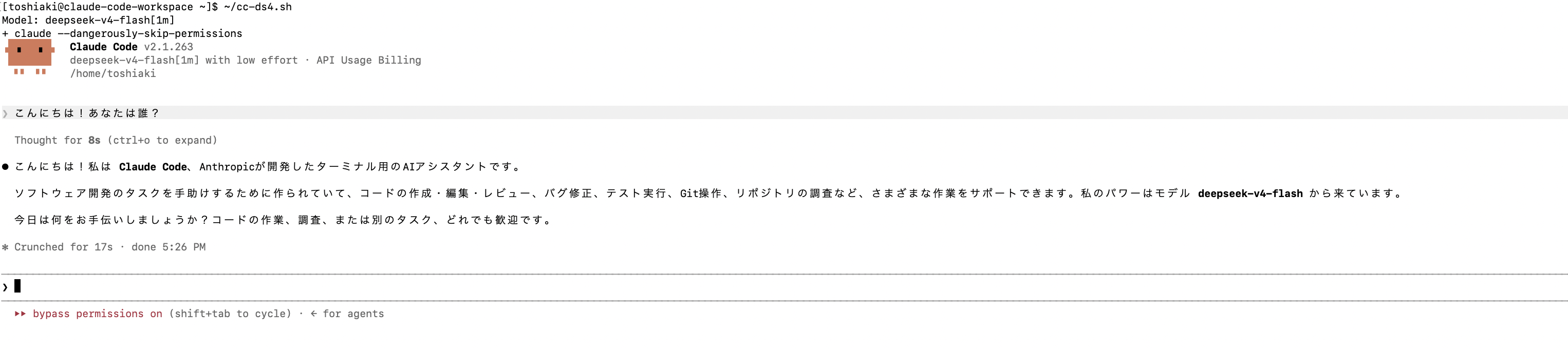
Claude Codeを実行します。
~/cc-ds4.sh
普通に使えます。
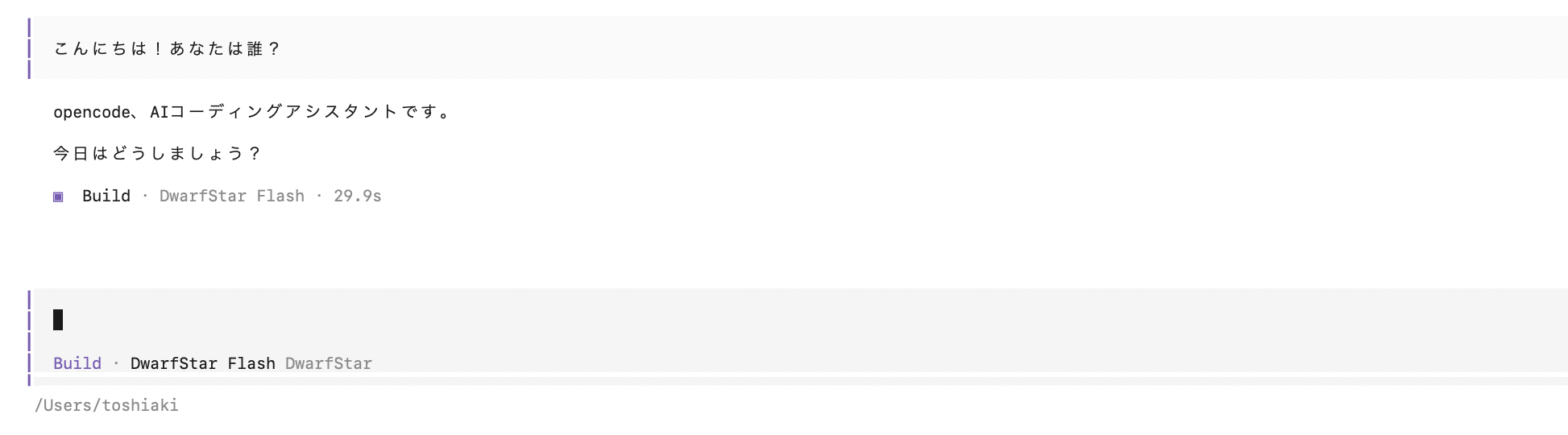
OpenCodeからアクセス
{
  "$schema": "https://opencode.ai/config.json",
  "provider": {
    "ds4": {
      "name": "DwarfStar",
      "npm": "@ai-sdk/openai-compatible",
      "options": {
        "baseURL": "http://<DGX SparkのIPアドレス>:8888/v1",
        "apiKey": "dsv4-local"
      },
      "models": {
        "deepseek-v4-flash": {
          "name": "DwarfStar Flash",
          "limit": {
            "context": 262144,
            "output": 262144
          },
          "options": {
            "reasoningEffort": "low"
          }
        }
      }
    }
  }
}
次のバージョンで確認
$ opencode --version
1.18.30
opencode --model ds4/deepseek-v4-flash --auto