Foundry Localは、Microsoftが提供するAIモデルのローカル実行環境です。これにより、オープンソースのAIモデルをローカルで簡単に管理・実行できます。
OpenAI API互換のAPIを提供しているため、Spring AIなどのアプリケーションからも簡単に利用可能です。
なお、llama.cppやOllamaに比べえ何が良いかは分かっていません!
目次
Foundry Localのインストール
Macの場合はbrewを使用して簡単にインストールできます。
brew tap microsoft/foundrylocal
brew install foundrylocal
モデルのロード
初期状態で利用可能なモデルを確認するには、次のコマンドを実行します。
$ foundry model list
Alias                          Device     Task               File Size    License      Model ID
-----------------------------------------------------------------------------------------------
phi-4                          GPU        chat-completion    8.37 GB      MIT          Phi-4-generic-gpu
                               CPU        chat-completion    10.16 GB     MIT          Phi-4-generic-cpu
--------------------------------------------------------------------------------------------------------
mistral-7b-v0.2                GPU        chat-completion    4.07 GB      apache-2.0   mistralai-Mistral-7B-Instruct-v0-2-generic-gpu
                               CPU        chat-completion    4.07 GB      apache-2.0   mistralai-Mistral-7B-Instruct-v0-2-generic-cpu
-------------------------------------------------------------------------------------------------------------------------------------
phi-3.5-mini                   GPU        chat-completion    2.16 GB      MIT          Phi-3.5-mini-instruct-generic-gpu
                               CPU        chat-completion    2.53 GB      MIT          Phi-3.5-mini-instruct-generic-cpu
------------------------------------------------------------------------------------------------------------------------
phi-3-mini-128k                GPU        chat-completion    2.13 GB      MIT          Phi-3-mini-128k-instruct-generic-gpu
                               CPU        chat-completion    2.54 GB      MIT          Phi-3-mini-128k-instruct-generic-cpu
---------------------------------------------------------------------------------------------------------------------------
phi-3-mini-4k                  GPU        chat-completion    2.13 GB      MIT          Phi-3-mini-4k-instruct-generic-gpu
                               CPU        chat-completion    2.53 GB      MIT          Phi-3-mini-4k-instruct-generic-cpu
-------------------------------------------------------------------------------------------------------------------------
deepseek-r1-14b                GPU        chat-completion    10.27 GB     MIT          deepseek-r1-distill-qwen-14b-generic-gpu
-------------------------------------------------------------------------------------------------------------------------------
deepseek-r1-7b                 GPU        chat-completion    5.58 GB      MIT          deepseek-r1-distill-qwen-7b-generic-gpu
------------------------------------------------------------------------------------------------------------------------------
qwen2.5-0.5b                   GPU        chat-completion    0.68 GB      apache-2.0   qwen2.5-0.5b-instruct-generic-gpu
                               CPU        chat-completion    0.80 GB      apache-2.0   qwen2.5-0.5b-instruct-generic-cpu
------------------------------------------------------------------------------------------------------------------------
qwen2.5-1.5b                   GPU        chat-completion    1.51 GB      apache-2.0   qwen2.5-1.5b-instruct-generic-gpu
                               CPU        chat-completion    1.78 GB      apache-2.0   qwen2.5-1.5b-instruct-generic-cpu
------------------------------------------------------------------------------------------------------------------------
qwen2.5-coder-0.5b             GPU        chat-completion    0.52 GB      apache-2.0   qwen2.5-coder-0.5b-instruct-generic-gpu
                               CPU        chat-completion    0.80 GB      apache-2.0   qwen2.5-coder-0.5b-instruct-generic-cpu
------------------------------------------------------------------------------------------------------------------------------
qwen2.5-coder-7b               GPU        chat-completion    4.73 GB      apache-2.0   qwen2.5-coder-7b-instruct-generic-gpu
                               CPU        chat-completion    6.16 GB      apache-2.0   qwen2.5-coder-7b-instruct-generic-cpu
----------------------------------------------------------------------------------------------------------------------------
qwen2.5-coder-1.5b             GPU        chat-completion    1.25 GB      apache-2.0   qwen2.5-coder-1.5b-instruct-generic-gpu
                               CPU        chat-completion    1.78 GB      apache-2.0   qwen2.5-coder-1.5b-instruct-generic-cpu
------------------------------------------------------------------------------------------------------------------------------
phi-4-mini                     GPU        chat-completion    3.72 GB      MIT          Phi-4-mini-instruct-generic-gpu
----------------------------------------------------------------------------------------------------------------------
phi-4-mini-reasoning           GPU        chat-completion    3.15 GB      MIT          Phi-4-mini-reasoning-generic-gpu
                               CPU        chat-completion    4.52 GB      MIT          Phi-4-mini-reasoning-generic-cpu
-----------------------------------------------------------------------------------------------------------------------
qwen2.5-14b                    CPU        chat-completion    11.06 GB     apache-2.0   qwen2.5-14b-instruct-generic-cpu
-----------------------------------------------------------------------------------------------------------------------
qwen2.5-7b                     GPU        chat-completion    5.20 GB      apache-2.0   qwen2.5-7b-instruct-generic-gpu
                               CPU        chat-completion    6.16 GB      apache-2.0   qwen2.5-7b-instruct-generic-cpu
----------------------------------------------------------------------------------------------------------------------
qwen2.5-coder-14b              GPU        chat-completion    8.79 GB      apache-2.0   qwen2.5-coder-14b-instruct-generic-gpu
                               CPU        chat-completion    11.06 GB     apache-2.0   qwen2.5-coder-14b-instruct-generic-cpu
今回はphi-4-miniを使用してみます。
foundry model download phi-4-mini
foundry model load phi-4-mini
Startして、Runningになっていることを確認します。またエンドポイントのURLも確認できます。
$ foundry service status
🟢 Model management service is running on http://localhost:5273/openai/status
アクセス可能なモデル名を次のAPIで確認できます。
$ curl -s http://localhost:5273/openai/models | jq .
[
  "Phi-4-mini-instruct-generic-gpu"
]
OpenAI API互換のAPIに対して、次のようにcurlでリクエストを送信できます。
curl -s http://localhost:5273/v1/chat/completions \
  --json '{
   "model": "Phi-4-mini-instruct-generic-gpu",
   "messages": [
      {"role": "user", "content": "Give me a joke."}
   ]
 }' | jq .
次のようなレスポンスが返ってきます。
{
  "model": null,
  "choices": [
    {
      "delta": {
        "role": "assistant",
        "content": "Sure, here's a classic joke for you:\n\nWhy don't scientists trust atoms?\n\nBecause they make up everything!",
        "name": null,
        "tool_call_id": null,
        "function_call": null,
        "tool_calls": []
      },
      "message": {
        "role": "assistant",
        "content": "Sure, here's a classic joke for you:\n\nWhy don't scientists trust atoms?\n\nBecause they make up everything!",
        "name": null,
        "tool_call_id": null,
        "function_call": null,
        "tool_calls": []
      },
      "index": 0,
      "finish_reason": "stop",
      "finish_details": null,
      "logprobs": null
    }
  ],
  "usage": null,
  "system_fingerprint": null,
  "service_tier": null,
  "created": 1750299210,
  "CreatedAt": "2025-06-19T02:13:30+00:00",
  "id": "chat.id.1",
  "StreamEvent": null,
  "IsDelta": false,
  "Successful": true,
  "error": null,
  "HttpStatusCode": 0,
  "HeaderValues": null,
  "object": "chat.completion"
}
Spring AIアプリケーションからの利用
このブログでよく使用しているSpring AIのサンプルアプリからFoundry Localのモデルを使用してみます。
git clone https://github.com/making/hello-spring-ai
cd hello-spring-ai
./mvnw clean package -DskipTests=true
java -jar target/hello-spring-ai-0.0.1-SNAPSHOT.jar \
  --spring.ai.openai.base-url=http://localhost:5273 \
  --spring.ai.openai.api-key=dummy \
  --spring.ai.openai.chat.options.model=Phi-4-mini-instruct-generic-gpu \
  --spring.ai.openai.chat.options.temperature=0
http://localhost:8080 にアクセスすると、チャットUIが表示されます。

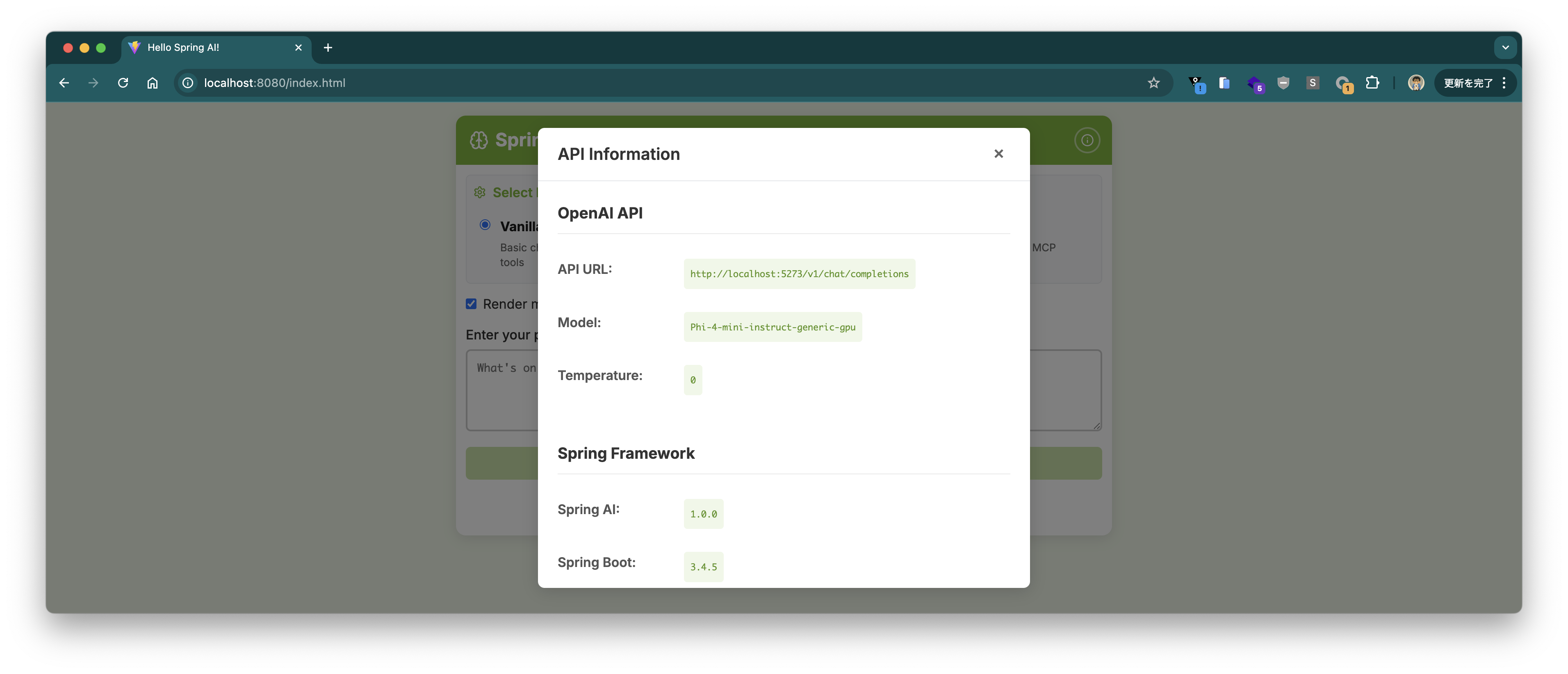
右上のℹ️ボタンを押すと接続しているエンドポイントやモデルの情報が表示されます。
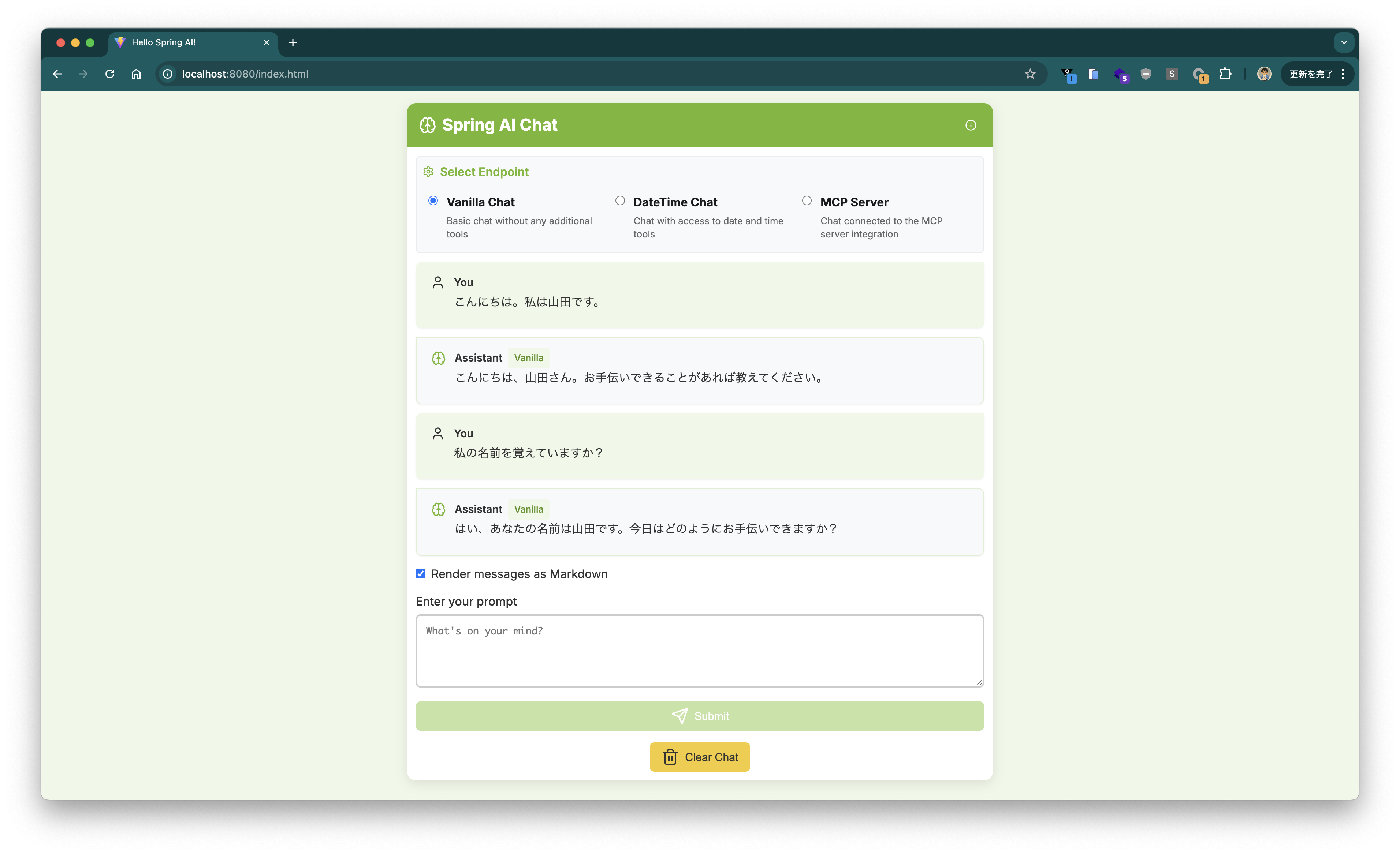
チャットUI上で会話ができました。
Tool Callingで現在時刻を回答できるか試してみましたが、Phi-4-miniはTool Callingをサポートしていないようです。
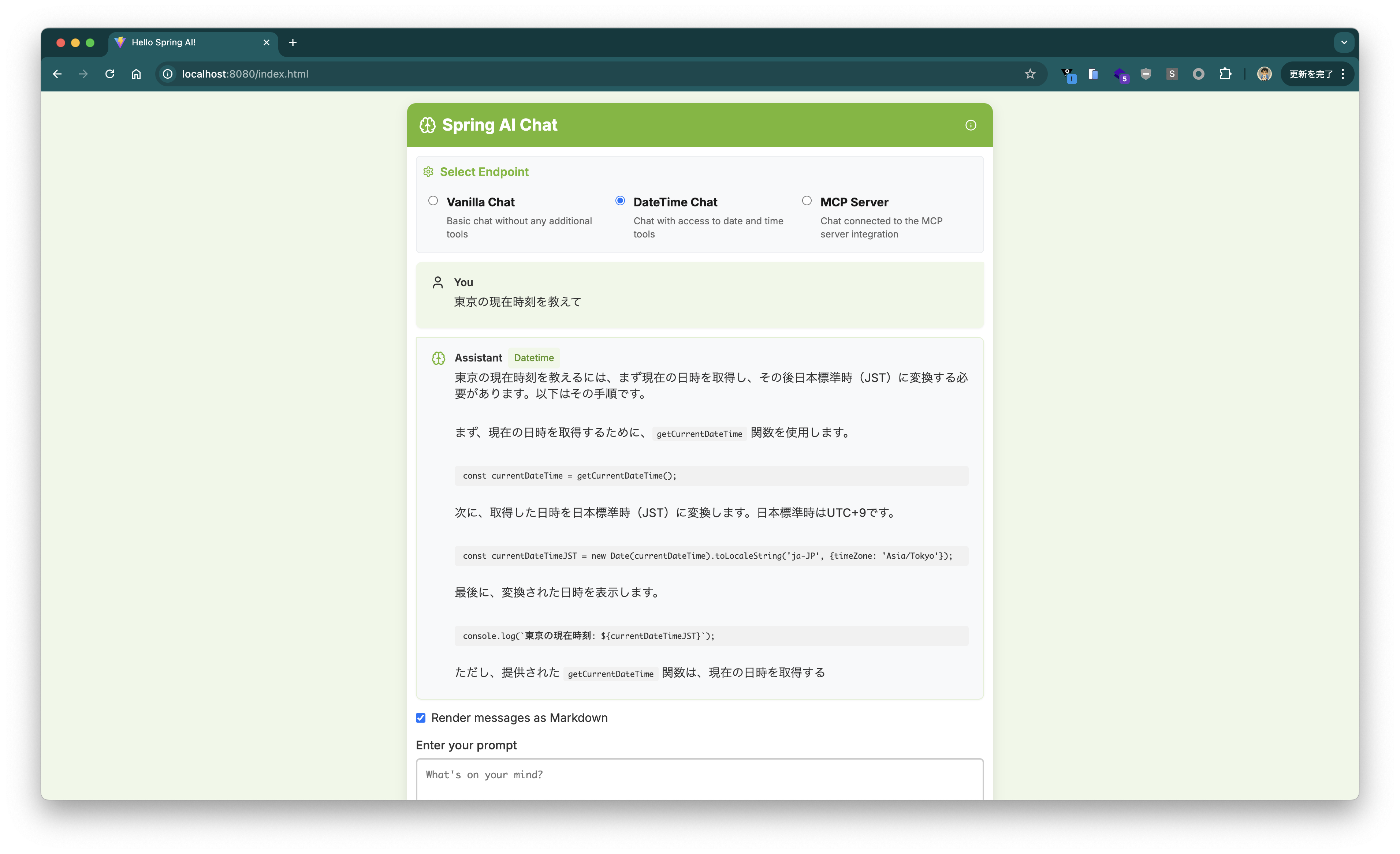
~/.foundry/cache/models/foundry.modelinfo.jsonを見る限り、本稿執筆時点でTool Callingをサポートしている(supportsToolCallingがtrue)モデルはないようです。
Spring AIアプリケーションの作成
せっかくなので、0からSpring AIアプリケーションを作成して、Foundry Localのモデルを使ってみます。
Spring Initializrで次のように設定してプロジェクトを作成します。
curl -s https://start.spring.io/starter.tgz \
       -d artifactId=demo-spring-ai \
       -d name=demo-spring-ai \
       -d baseDir=demo-spring-ai  \
       -d packageName=com.example \
       -d dependencies=spring-ai-openai,web,actuator,configuration-processor,prometheus,native \
       -d type=maven-project \
       -d applicationName=DemoSpringAiApplication | tar -xzvf -
cd demo-spring-ai
cat <<'EOF' > src/main/java/com/example/HelloController.java
package com.example;

import org.springframework.ai.chat.client.ChatClient;
import org.springframework.web.bind.annotation.GetMapping;
import org.springframework.web.bind.annotation.RequestParam;
import org.springframework.web.bind.annotation.RestController;

@RestController
public class HelloController {

    private final ChatClient chatClient;

    public HelloController(ChatClient.Builder chatClientBuilder) {
        this.chatClient = chatClientBuilder.build();
    }

    @GetMapping(path = "/")
    public String hello(@RequestParam(defaultValue = "Tell me a joke") String prompt) {
        return this.chatClient.prompt().messages().user(prompt).call().content();
    }

}
EOF
cat <<'EOF' > src/main/resources/application.properties
spring.ai.openai.base-url=http://localhost:5273
spring.ai.openai.api-key=dummy
spring.ai.openai.chat.options.model=Phi-4-mini-instruct-generic-gpu
spring.ai.openai.chat.options.temperature=0
EOF
簡単ですね。ビルドして実行しましょう。
./mvnw clean package -DskipTests=true
java -jar target/demo-spring-ai-0.0.1-SNAPSHOT.jar
Why is the sky blue?というプロンプトを送ってみます。
$ curl "localhost:8080?prompt=Why%20is%20the%20sky%20blue%3F"
The sky appears blue due to Rayleigh scattering, which is the scattering of light by particles much smaller than the wavelength of the light. Sunlight, which appears white, is actually made up of all colors of the rainbow. When sunlight enters Earth's atmosphere, it collides with molecules and small particles in the air. Blue light, which has a shorter wavelength, is scattered in all directions much more than other colors with longer wavelengths. This scattering causes the sky to look blue to our eyes when we look up during the day. At sunrise and sunset, the sky can appear red or orange because the light has to pass through more atmosphere, which scatters the shorter wavelengths and allows the longer wavelengths to reach our eyes.
無事に回答が返りました。
本稿ではFoundry Localを使って、OpenAI API互換のAPIをローカルで実行し、Spring AIアプリケーションから利用する方法を紹介しました。
なお、例えばエンドポイントをAzure OpenAI Serviceに切り替えたい場合は、ソースコードを変更することなく、次のようなプロパティを設定すれば良いです。
spring.ai.openai.base-url=https://xxxxxxxxxxxxxxx.openai.azure.com
spring.ai.openai.chat.options.model=gpt-4.1-mini
spring.ai.openai.chat.completions-path=/openai/deployments/${spring.ai.openai.chat.options.model}/chat/completions?api-version=2024-02-01
spring.ai.openai.api-key=${AZURE_OPEN_AI_API_KEY}