Greenplum on Kubernetes 1.0 has been released, so I'll give it a try. This time, I'll install it on MicroK8s running on private network.
Table of Contents
- Downloading Tanzu Greenplum on Kubernetes 1.0
- Relocating Tanzu Greenplum on Kubernetes 1.0
- Installing Greenplum Operator
- Creating a Greenplum Cluster
- Verification
- Creating Greenplum Command Center
- Deleting Resources
Downloading Tanzu Greenplum on Kubernetes 1.0
Tanzu Greenplum on Kubernetes 1.0 can be downloaded from the following link (license registration probably required):
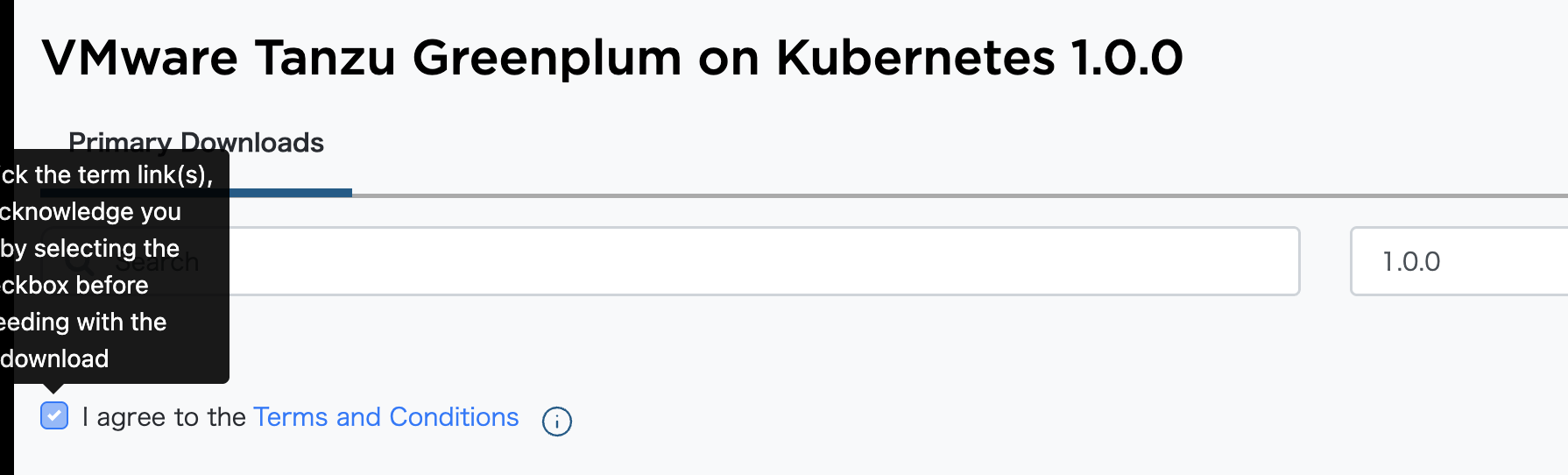
Click the "Terms and Conditions" link, then check "I agree ...".
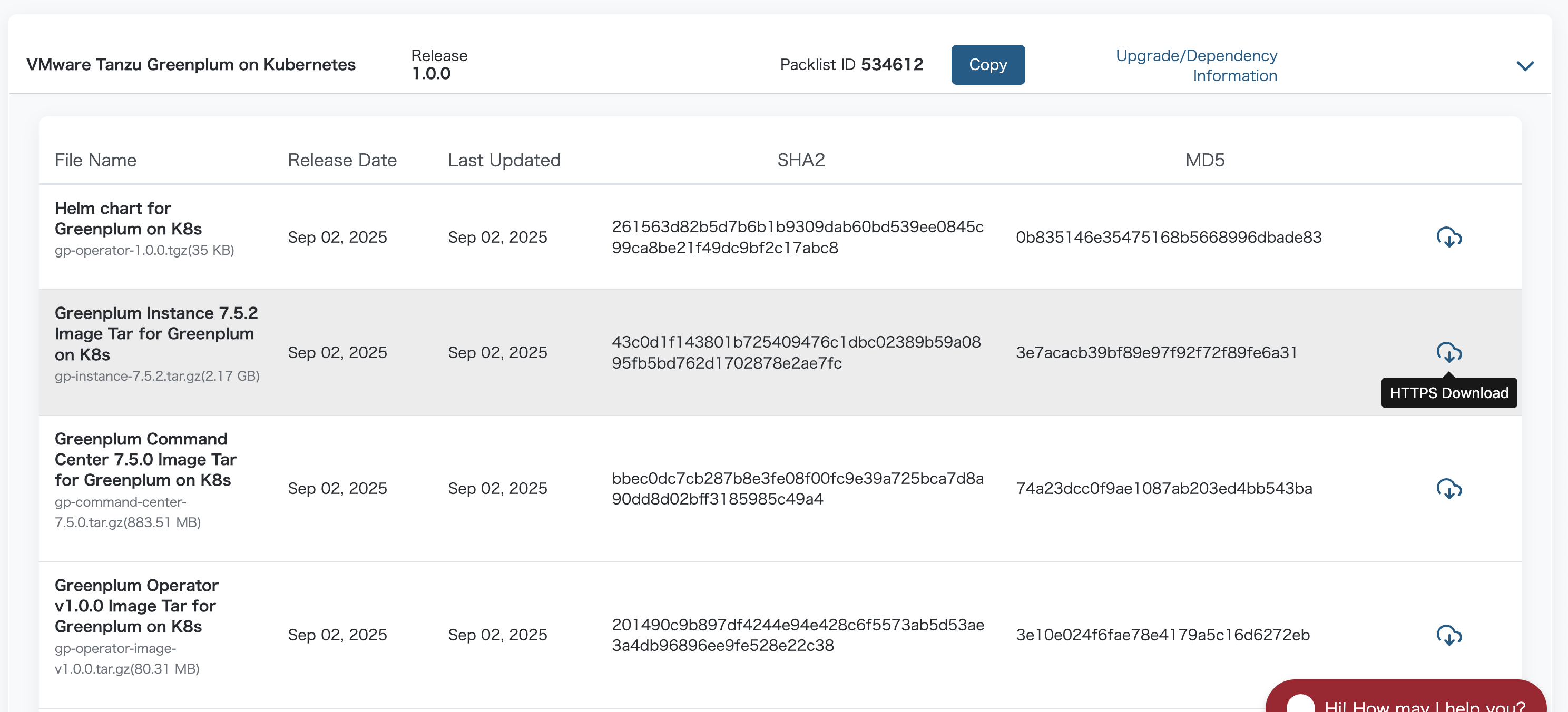
Download the following files:
- gp-command-center-7.5.0.tar.gz
- gp-instance-7.5.2.tar.gz
- gp-operator-1.0.0.tgz
- gp-operator-image-v1.0.0.tar.gz
Relocating Tanzu Greenplum on Kubernetes 1.0
After downloading, load the following three images into local Docker:
docker load -i gp-operator-image-v1.0.0.tar.gz
docker load -i gp-instance-7.5.2.tar.gz
docker load -i gp-command-center-7.5.0.tar.gz
This time, I'll push to a self-hosted container registry on a private network before installation. Please be careful that the push destination should be on a private network to avoid potential EULA violations.
REGISTRY_HOSTNAME=my-private-registry.example.com
REGISTRY_USERNAME=your-username
REGISTRY_PASSWORD=your-password
docker login ${REGISTRY_HOSTNAME} -u ${REGISTRY_USERNAME} -p ${REGISTRY_PASSWORD}
Tag and push the images with the following commands:
DESTINATION_REPOSITORY=${REGISTRY_HOSTNAME}

docker tag tds-greenplum-docker-prod-local.usw1.packages.broadcom.com/greenplum/gp-operator/gp-operator:v1.0.0 ${DESTINATION_REPOSITORY}/greenplum/gp-operator/greenplum-operator:v1.0.0
docker push ${DESTINATION_REPOSITORY}/greenplum/gp-operator/greenplum-operator:v1.0.0

docker tag tds-greenplum-docker-prod-local.usw1.packages.broadcom.com/greenplum/gp-operator/gp-instance:7.5.2 ${DESTINATION_REPOSITORY}/greenplum/gp-operator/gp-instance:7.5.2
docker push ${DESTINATION_REPOSITORY}/greenplum/gp-operator/gp-instance:7.5.2

docker tag tds-greenplum-docker-prod-local.usw1.packages.broadcom.com/greenplum/gp-operator/gp-command-center:7.5.0 ${DESTINATION_REPOSITORY}/greenplum/gp-operator/gp-command-center:7.5.0
docker push ${DESTINATION_REPOSITORY}/greenplum/gp-operator/gp-command-center:7.5.0
Although not required, I'll also push the Helm chart to GitHub Container Registry:
helm push ./gp-operator-1.0.0.tgz oci://${DESTINATION_REPOSITORY}/greenplum/gp-operator
Installing Greenplum Operator
Check the default values of the Helm Chart:
$ helm show values oci://${DESTINATION_REPOSITORY}/greenplum/gp-operator/gp-operator --version 1.0.0
Pulled: my-private-registry.example.com/gp-operator/gp-operator:1.0.0
Digest: sha256:af0787eef38e853458c0b211c14a0ad41b01a71eb925dd9f980ece60c719b433
controllerManager:
  operator:
    args:
    - --leader-elect
    - --health-probe-bind-address=:8081
    - --metrics-bind-address=:8443
    - --webhook-cert-path=/tmp/k8s-webhook-server/serving-certs
    containerSecurityContext:
      allowPrivilegeEscalation: false
      capabilities:
        drop:
        - ALL
    env:
      certManagerClusterIssuerName: ""
      certManagerNamespace: cert-manager
    image:
      repository: ${DESTINATION_REPOSITORY}/greenplum/gp-operator/gp-operator
      tag: v1.0.0
    imagePullPolicy: Always
    resources:
      limits:
        cpu: 200m
        memory: 500Mi
      requests:
        cpu: 200m
        memory: 500Mi
  podSecurityContext:
    runAsNonRoot: true
  replicas: 1
  serviceAccount:
    annotations: {}
imagePullSecrets: []
kubernetesClusterDomain: cluster.local
metricsService:
  ports:
  - name: https
    port: 8443
    protocol: TCP
    targetPort: 8443
  type: ClusterIP
webhookService:
  ports:
  - port: 443
    protocol: TCP
    targetPort: 9443
  type: ClusterIP
Create a values file to change the image to the relocated one:
cat <<EOF > gp-operator-values.yaml
---
controllerManager:
  operator:
    image:
      repository: ${DESTINATION_REPOSITORY}/greenplum/gp-operator/greenplum-operator
      tag: v1.0.0
    resources:
      requests:
        cpu: 100m
        memory: 128Mi
imagePullSecrets:
- name: gp-operator-registry-secret
---
EOF
Create the Secret specified in imagePullSecrets:
kubectl create namespace gpdb
kubectl create secret docker-registry gp-operator-registry-secret \
    --docker-server=${REGISTRY_HOSTNAME} \
    --docker-username=${REGISTRY_USERNAME} \
    --docker-password="${REGISTRY_PASSWORD}" \
    -n gpdb
Check the Helm Chart template:
helm template gp-operator oci://${DESTINATION_REPOSITORY}/greenplum/gp-operator/gp-operator -n gpdb --version 1.0.0 -f gp-operator-values.yaml
Install Greenplum Operator:
helm upgrade --install \
  -n gpdb \
  gp-operator \
  oci://${DESTINATION_REPOSITORY}/greenplum/gp-operator/gp-operator \
  -f gp-operator-values.yaml \
  --version 1.0.0 \
  --wait
Verify that the GP Operator Pod is running:
$ kubectl get pod -n gpdb
NAME                                              READY   STATUS    RESTARTS   AGE
gp-operator-controller-manager-86985f94f7-czlkc   1/1     Running   0          35s
Verify that the GP Operator CRDs have been created:
$ kubectl api-resources --api-group=greenplum.data.tanzu.vmware.com
NAME                       SHORTNAMES   APIVERSION                           NAMESPACED   KIND
greenplumbackuplocations                greenplum.data.tanzu.vmware.com/v1   true         GreenplumBackupLocation
greenplumbackups           gpbackup     greenplum.data.tanzu.vmware.com/v1   true         GreenplumBackup
greenplumclusters          gp           greenplum.data.tanzu.vmware.com/v1   true         GreenplumCluster
greenplumcommandcenters    gpcc         greenplum.data.tanzu.vmware.com/v1   true         GreenplumCommandCenter
greenplumrestores          gprestore    greenplum.data.tanzu.vmware.com/v1   true         GreenplumRestore
greenplumversions                       greenplum.data.tanzu.vmware.com/v1   false        GreenplumVersion
Creating a Greenplum Cluster
Once the GP Operator installation is complete, create a Greenplum Cluster. First, create a Greenplum Version:
cat <<EOF > greenplumversion-7.5.2.yaml
---
apiVersion: greenplum.data.tanzu.vmware.com/v1
kind: GreenplumVersion
metadata:
  name: greenplumversion-7.5.2
spec:
  dbVersion: 7.5.2
  image: ${DESTINATION_REPOSITORY}/greenplum/gp-operator/gp-instance:7.5.2
  operatorVersion: 1.0.0
  extensions:
  - name: postgis
    version: 3.3.2
  - name: greenplum_backup_restore
    version: 1.31.0
  gpcc:
    version: 7.5.0
    image: ${DESTINATION_REPOSITORY}/greenplum/gp-operator/gp-command-center:7.5.0
---
EOF

kubectl apply -f greenplumversion-7.5.2.yaml
Create a namespace for the Greenplum Cluster and create a secret for image pulling:
kubectl create namespace demo
kubectl create secret docker-registry gp-operator-registry-secret \
    --docker-server=${REGISTRY_HOSTNAME} \
    --docker-username=${REGISTRY_USERNAME} \
    --docker-password="${REGISTRY_PASSWORD}" \
    -n demo
Create the Greenplum Cluster manifest. This time, I'll configure it with 1 Coordinator node and 2 Segment nodes:
cat <<EOF > gp-demo.yaml
---
apiVersion: greenplum.data.tanzu.vmware.com/v1
kind: GreenplumCluster
metadata:
  name: gp-demo
  namespace: demo
spec:
  version: greenplumversion-7.5.2
  imagePullSecrets:
  - gp-operator-registry-secret
  coordinator:
    storageClassName: microk8s-hostpath
    service:
      type: LoadBalancer
    storage: 1Gi
  global:
    gucSettings:
    - key: wal_level
      value: logical
  segments:
    count: 2
    storageClassName: microk8s-hostpath
    storage: 10Gi
---
EOF

kubectl apply -f gp-demo.yaml
After a while, the following resources will be created:
$ kubectl get gp,sts,pod,svc,pvc -n demo -owide
NAME                                                       STATUS    AGE
greenplumcluster.greenplum.data.tanzu.vmware.com/gp-demo   Running   7m58s

NAME                                   READY   AGE     CONTAINERS   IMAGES
statefulset.apps/gp-demo-coordinator   1/1     7m6s    instance     my-private-registry.example.com/greenplum/gp-operator/gp-instance:7.5.2
statefulset.apps/gp-demo-segment       2/2     6m56s   instance     my-private-registry.example.com/greenplum/gp-operator/gp-instance:7.5.2

NAME                        READY   STATUS    RESTARTS   AGE     IP             NODE     NOMINATED NODE   READINESS GATES
pod/gp-demo-coordinator-0   1/1     Running   0          7m6s    10.1.173.177   cherry   <none>           <none>
pod/gp-demo-segment-0       1/1     Running   0          6m56s   10.1.173.178   cherry   <none>           <none>
pod/gp-demo-segment-1       1/1     Running   0          6m43s   10.1.42.171    banana   <none>           <none>

NAME                           TYPE           CLUSTER-IP       EXTERNAL-IP      PORT(S)          AGE     SELECTOR
service/gp-demo-headless-svc   ClusterIP      None             <none>           <none>           7m7s    cluster-name=gp-demo,cluster-namespace=demo
service/gp-demo-svc            LoadBalancer   10.152.183.135   192.168.11.241   5432:30917/TCP   3m45s   cluster-name=gp-demo,cluster-namespace=demo,type=coordinator

NAME                                                STATUS   VOLUME                                     CAPACITY   ACCESS MODES   STORAGECLASS        VOLUMEATTRIBUTESCLASS   AGE     VOLUMEMODE
persistentvolumeclaim/state-gp-demo-coordinator-0   Bound    pvc-790a5953-33e1-4f7e-875f-7fba41386016   1Gi        RWO            microk8s-hostpath   <unset>                 7m6s    Filesystem
persistentvolumeclaim/state-gp-demo-segment-0       Bound    pvc-2c114171-13b9-4dd6-b6c7-037018f52843   10Gi       RWO            microk8s-hostpath   <unset>                 6m56s   Filesystem
persistentvolumeclaim/state-gp-demo-segment-1       Bound    pvc-1a458596-9e4d-408d-a200-f16fb643c292   10Gi       RWO            microk8s-hostpath   <unset>                 6m43s   Filesystem
Verification
Connect to port 5432 on the LoadBalancer's EXTERNAL-IP. The password for the gpadmin user is stored in a Secret:
$ kubectl get secret -n demo gp-demo-creds -ojson | jq '.data | map_values(@base64d)'
{
  "gpadmin": "8mOJ2tYC9e4AIu"
}
Connect with the following command:
$ psql postgresql://gpadmin:8mOJ2tYC9e4AIu@192.168.11.241:5432/postgres
psql (17.0, server 12.22)
SSL connection (protocol: TLSv1.3, cipher: TLS_AES_256_GCM_SHA384, compression: off, ALPN: none)
Type "help" for help.

postgres=#
The initial state is as follows:
postgres=# \l
                                               List of databases
   Name    |  Owner  | Encoding | Locale Provider | Collate | Ctype | Locale | ICU Rules |  Access privileges
-----------+---------+----------+-----------------+---------+-------+--------+-----------+---------------------
 postgres  | gpadmin | UTF8     | libc            | C       | C     |        |           |
 template0 | gpadmin | UTF8     | libc            | C       | C     |        |           | =c/gpadmin         +
           |         |          |                 |         |       |        |           | gpadmin=CTc/gpadmin
 template1 | gpadmin | UTF8     | libc            | C       | C     |        |           | =c/gpadmin         +
           |         |          |                 |         |       |        |           | gpadmin=CTc/gpadmin
(3 rows)
The available extensions are as follows. Extensions like pgvector for vector search and h3, a geographic indexing system used by Uber, are available:
postgres=# SELECT * FROM pg_available_extensions ORDER BY name;
             name             |    default_version    | installed_version |                                                       comment
------------------------------+-----------------------+-------------------+---------------------------------------------------------------------------------------------------------------------
 address_standardizer         | 3.3.2                 |                   | Used to parse an address into constituent elements. Generally used to support geocoding address normalization step.
 address_standardizer_data_us | 3.3.2                 |                   | Address Standardizer US dataset example
 advanced_password_check      | 1.4                   |                   | Advanced Password Check
 anon                         | 2.1.0                 |                   | Anonymization & Data Masking for PostgreSQL
 btree_gin                    | 1.3                   |                   | support for indexing common datatypes in GIN
 citext                       | 1.6                   |                   | data type for case-insensitive character strings
 dataflow                     | 1.0                   |                   | Extension which provides extra formatters and types for dataflow
 dblink                       | 1.2                   |                   | connect to other PostgreSQL databases from within a database
 diskquota                    | 2.3                   |                   | Disk Quota Main Program
 file_fdw                     | 1.0                   |                   | foreign-data wrapper for flat file access
 fuzzystrmatch                | 1.1                   |                   | determine similarities and distance between strings
 gp_distribution_policy       | 1.0                   |                   | check distribution policy in a GPDB cluster
 gp_exttable_fdw              | 1.0                   | 1.0               | External Table Foreign Data Wrapper for Greenplum
 gp_internal_tools            | 1.0.0                 |                   | Different internal tools for Greenplum
 gp_legacy_string_agg         | 1.0.0                 |                   | Legacy one-argument string_agg implementation for Greenplum
 gp_sparse_vector             | 1.0.1                 |                   | SParse vector implementation for GreenPlum
 gp_toolkit                   | 1.18                  | 1.18              | various GPDB administrative views/functions
 gp_wlm                       | 0.1                   |                   | Greenplum Workload Manager Extension
 gpss                         | 1.0                   |                   | Extension which implements kinds of gpss formaters and protocol buffer
 greenplum_fdw                | 1.1                   |                   | foreign-data wrapper for remote greenplum servers
 h3                           | 4.1.3                 |                   | H3 bindings for PostgreSQL
 h3_postgis                   | 4.1.3                 |                   | H3 PostGIS integration
 hll                          | 2.16                  |                   | type for storing hyperloglog data
 hstore                       | 1.6                   |                   | data type for storing sets of (key, value) pairs
 ip4r                         | 2.4                   |                   |
 isn                          | 1.2                   |                   | data types for international product numbering standards
 ltree                        | 1.1                   |                   | data type for hierarchical tree-like structures
 metrics_collector            | 1.0                   |                   | Greenplum Metrics Collector Extension
 orafce                       | 4.9.1                 |                   | Functions and operators that emulate a subset of functions and packages from the Oracle RDBMS
 orafce_ext                   | 1.0                   |                   |
 pageinspect                  | 1.9                   |                   | inspect the contents of database pages at a low level
 pg_buffercache               | 1.4.1                 |                   | examine the shared buffer cache
 pg_cron                      | 1.6                   |                   | Job scheduler for PostgreSQL
 pg_hint_plan                 | 1.3.9                 |                   |
 pg_trgm                      | 1.4                   |                   | text similarity measurement and index searching based on trigrams
 pgaudit                      | 7.0                   |                   | provides auditing functionality
 pgcrypto                     | 1.3                   |                   | cryptographic functions
 pgml                         | 2.8.5+greenplum.2.0.0 |                   | pgml:  Created by the PostgresML team
 pgrouting                    | 3.6.2                 |                   | pgRouting Extension
 plperl                       | 1.0                   |                   | PL/Perl procedural language
 plperlu                      | 1.0                   |                   | PL/PerlU untrusted procedural language
 plpgsql                      | 1.0                   | 1.0               | PL/pgSQL procedural language
 plpython3u                   | 1.0                   |                   | PL/Python3U untrusted procedural language
 pointcloud                   | 1.2.5                 |                   | data type for lidar point clouds
 pointcloud_postgis           | 1.2.5                 |                   | integration for pointcloud LIDAR data and PostGIS geometry data
 postgis                      | 3.3.2                 |                   | PostGIS geometry and geography spatial types and functions
 postgis_raster               | 3.3.2                 |                   | PostGIS raster types and functions
 postgis_tiger_geocoder       | 3.3.2                 |                   | PostGIS tiger geocoder and reverse geocoder
 postgres_fdw                 | 1.0                   |                   | foreign-data wrapper for remote PostgreSQL servers
 sslinfo                      | 1.2                   |                   | information about SSL certificates
 tablefunc                    | 1.0                   |                   | functions that manipulate whole tables, including crosstab
 timestamp9                   | 1.3.0                 |                   | timestamp nanosecond resolution
 uuid-ossp                    | 1.1                   |                   | generate universally unique identifiers (UUIDs)
 vector                       | 0.7.0                 |                   | vector data type and ivfflat and hnsw access methods
(54 rows)
Execute the following SQL to insert test data:
CREATE TABLE IF NOT EXISTS organization
(
    organization_id   BIGINT PRIMARY KEY,
    organization_name VARCHAR(255) NOT NULL
);
INSERT INTO organization(organization_id, organization_name) VALUES(1, 'foo');
INSERT INTO organization(organization_id, organization_name) VALUES(2, 'bar');
Check the data:
select organization_id,organization_name,gp_segment_id from organization;
By default, data is distributed by Primary Key. You can check which segment the data is placed on using the gp_segment_id column:
organization_id | organization_name | gp_segment_id
-----------------+-------------------+---------------
               2 | bar               |             0
               1 | foo               |             1
(2 rows)
Let's also try vector search using pgvector:
CREATE EXTENSION vector;
CREATE TABLE items (id bigserial PRIMARY KEY, embedding vector(3));
INSERT INTO items (embedding) VALUES ('[1,2,3]'), ('[4,5,6]');
Check the data:
SELECT * FROM items ORDER BY embedding <-> '[3,1,2]' LIMIT 5;
Vector search worked:
 id | embedding
----+-----------
  1 | [1,2,3]
  2 | [4,5,6]
(2 rows)
Creating Greenplum Command Center
Next, create Greenplum Command Center:
cat <<EOF > gpcc-demo.yaml
apiVersion: greenplum.data.tanzu.vmware.com/v1
kind: GreenplumCommandCenter
metadata:
  name: gpcc-demo
  namespace: demo
spec:
  storageClassName: microk8s-hostpath
  greenplumClusterName: gp-demo
  storage: 2Gi
  service:
    type: LoadBalancer
EOF

kubectl apply -f gpcc-demo.yaml
After a while, the following resources will be created:
$ kubectl get gp,sts,pod,svc,secret,pvc -n demo -owide
NAME                                                       STATUS    AGE
greenplumcluster.greenplum.data.tanzu.vmware.com/gp-demo   Running   10m

NAME                                   READY   AGE     CONTAINERS       IMAGES
statefulset.apps/gp-demo-coordinator   1/1     10m     instance         my-private-registry.example.com/greenplum/gp-operator/gp-instance:7.5.2
statefulset.apps/gp-demo-segment       2/2     9m55s   instance         my-private-registry.example.com/greenplum/gp-operator/gp-instance:7.5.2
statefulset.apps/gpcc-demo-cc-app      1/1     4m26s   command-center   my-private-registry.example.com/greenplum/gp-operator/gp-command-center:7.5.0

NAME                        READY   STATUS    RESTARTS   AGE     IP             NODE     NOMINATED NODE   READINESS GATES
pod/gp-demo-coordinator-0   1/1     Running   0          10m     10.1.42.175    banana   <none>           <none>
pod/gp-demo-segment-0       1/1     Running   0          9m55s   10.1.173.185   cherry   <none>           <none>
pod/gp-demo-segment-1       1/1     Running   0          9m48s   10.1.42.177    banana   <none>           <none>
pod/gpcc-demo-cc-app-0      1/1     Running   0          4m26s   10.1.42.179    banana   <none>           <none>

NAME                           TYPE           CLUSTER-IP       EXTERNAL-IP      PORT(S)                         AGE     SELECTOR
service/gp-demo-headless-svc   ClusterIP      None             <none>           <none>                          10m     cluster-name=gp-demo,cluster-namespace=demo
service/gp-demo-svc            LoadBalancer   10.152.183.204   192.168.11.241   5432:32002/TCP                  8m14s   cluster-name=gp-demo,cluster-namespace=demo,type=coordinator
service/gpcc-demo-cc-svc       LoadBalancer   10.152.183.75    192.168.11.242   8443:32144/TCP,8080:30307/TCP   3m36s   cluster-name=gp-demo,cluster-namespace=demo,type=command-center

NAME                                 TYPE                             DATA   AGE
secret/gemfire-registry-secret       kubernetes.io/dockerconfigjson   1      78d
secret/gp-demo-client-cert-secret    kubernetes.io/tls                3      25h
secret/gp-demo-creds                 Opaque                           1      8m58s
secret/gp-demo-server-cert-secret    kubernetes.io/tls                3      25h
secret/gp-demo-ssh-key               Opaque                           2      10m
secret/gp-operator-registry-secret   kubernetes.io/dockerconfigjson   1      26h
secret/gpcc-demo-cc-creds            Opaque                           1      3m36s

NAME                                                      STATUS   VOLUME                                     CAPACITY   ACCESS MODES   STORAGECLASS        VOLUMEATTRIBUTESCLASS   AGE     VOLUMEMODE
persistentvolumeclaim/command-center-gpcc-demo-cc-app-0   Bound    pvc-5be921dd-d668-489c-80ca-8248db0cd4be   2Gi        RWO            microk8s-hostpath   <unset>                 4m26s   Filesystem
persistentvolumeclaim/state-gp-demo-coordinator-0         Bound    pvc-6bc2b6b0-4b13-47c0-ad1f-6c1ca47aada0   1Gi        RWO            microk8s-hostpath   <unset>                 10m     Filesystem
persistentvolumeclaim/state-gp-demo-segment-0             Bound    pvc-7a634b8d-5dd6-4f8d-a81d-bf2ec41c4029   10Gi       RWO            microk8s-hostpath   <unset>                 9m55s   Filesystem
persistentvolumeclaim/state-gp-demo-segment-1             Bound    pvc-436ed5cb-8449-468c-8bb6-f16a64317b81   10Gi       RWO            microk8s-hostpath   <unset>                 9m48s   Filesystem
Connect to port 8080 on the LoadBalancer's EXTERNAL-IP: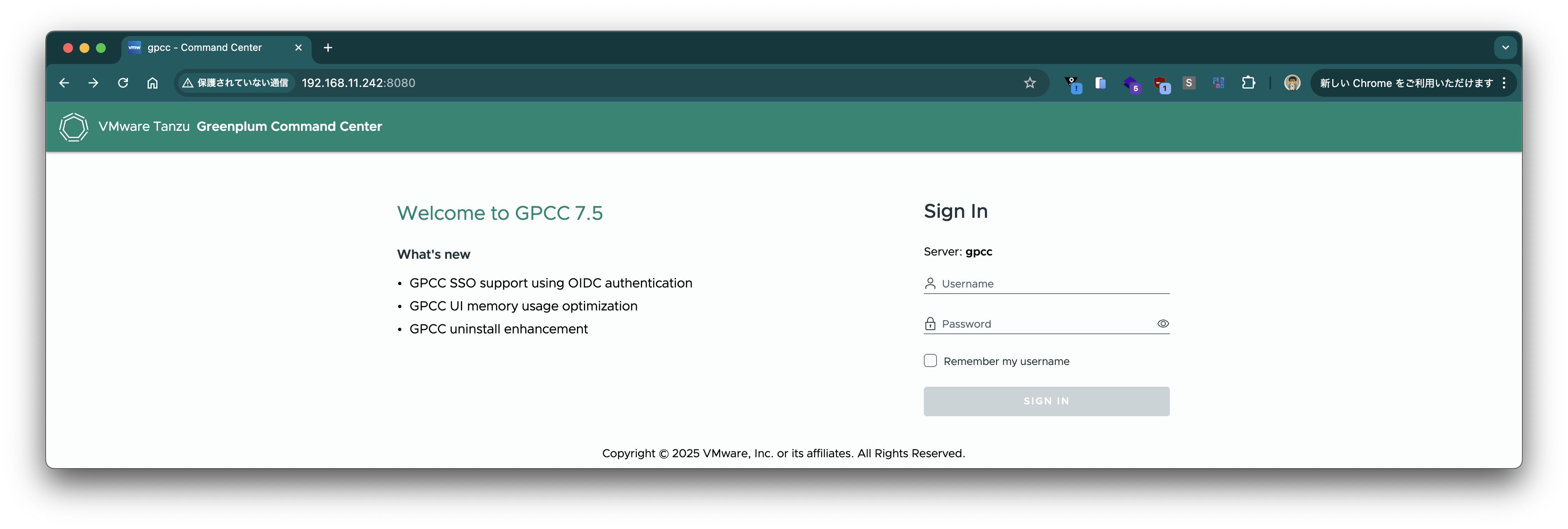
The password for the gpmon user is stored in a Secret:
$ kubectl get secret -n demo gpcc-demo-cc-creds  -ojson | jq '.data | map_values(@base64d)'
{
  "gpmon": "6PXN0s7xdfyLp9"
}
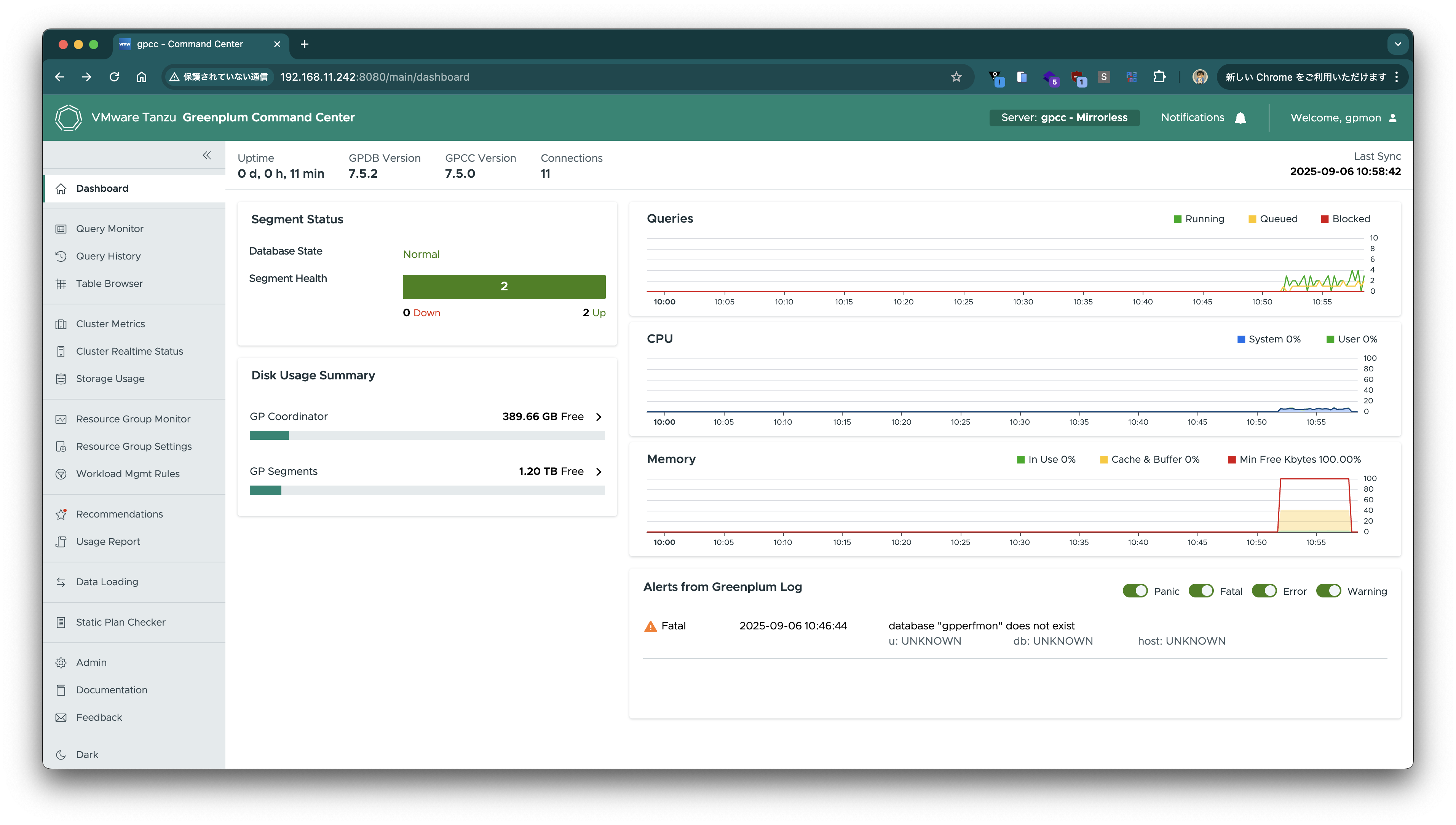
It's great that monitoring can be set up so easily.
Deleting Resources
kubectl delete -f gpcc-demo.yaml
kubectl delete -f gp-demo.yaml
helm uninstall -n gpdb gp-operator --wait
I tried Greenplum on Kubernetes 1.0. Since it's the initial version, I think there are still many areas for improvement, but it's good that Greenplum has become easier to try out. I look forward to future version updates.